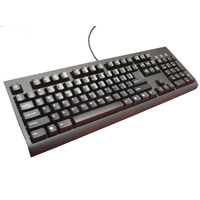
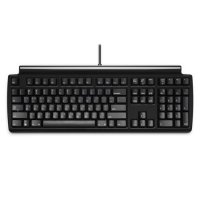
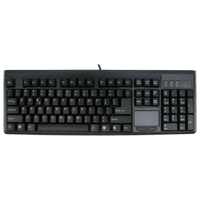
The 104 Key Mechanical Keyswitch Keyboard from Solidtek is a traditional-style keyboard with 104 keys, including the integrated numeric keypad. The high-quality mechanical keyswitches are rated for 10 million cycles and feature both tactile and audib ...
The 104 Key Mechanical Keyswitch Keyboard from Solidtek is a traditional-style keyboard with 104 keys, including the integrated numeric keypad. The high-quality mechanical keyswitches are rated for 10 million cycles and feature both tactile and audible feedback. All key sizes and spacing are standard, including those in the numeric keypad on the right.
Models
Model #
Description
Price
In Stock?
Buy Now
ASK-6600
104 Key Mechanical Keyswitch Keyboard, Black, (USB-A) Original Price $150.00. Is now 30% off - $105.00 / unit !!! NO 30 DAY CSG.
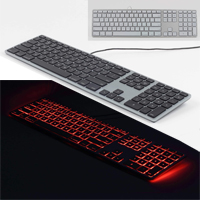
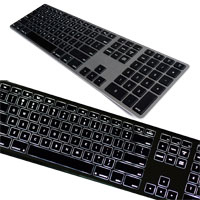
The RGB Backlit Wired Aluminum Keyboards from Matias offers Apple-inspired design and features, with the addition of RGB backlighting. Mac models also include a USB-A to USB-C adapter for multigenerational connectivity. With a continuous spectrum of ...
The RGB Backlit Wired Aluminum Keyboards from Matias offers Apple-inspired design and features, with the addition of RGB backlighting. Mac models also include a USB-A to USB-C adapter for multigenerational connectivity. With a continuous spectrum of colors to choose from, a simple turn of the color dial can provide the optimal backlighting for any situation. Backlighting intensity is also adjustable in 10% increments from 0% to 100% by using the -/+ backlight key (FN key on PC models).
This keyboard has all the key design elements Mac enthusiasts are familiar with; an aluminum case with chiclet-style keycaps, a single USB 2.0 port, the special Mac functions (on the Mac versions), and a hard wired connection via a USB cable. High quality Matias scissor switches provide a satisfying typing experience despite the slim design. This keyboard only weighs 1.2 lbs and comes with a 5' USB cable.
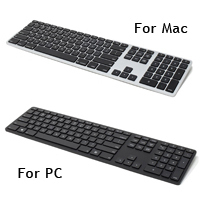
The Mac-compatible models of the Matias RGB Backlit Wired Aluminum Keyboard are compatible with Mac OS X all the way back to Version 10.6.8 (Snow Leopard) and are available in Silver or Space Gray. The PC model (FK318PCLBB) is Windows compatible and is available in Black only.
Les RGB Backlit Wired Aluminum Keyboard de Matias offrent une conception et des fonctionnalités inspirés d'Apple, avec l'ajout d'un fil et de rétroéclairage RGB. Les modèles Mac incluent également un adaptateur USB-A to USB-C pour une connectivité multigénérationnelle. Avec un spectre continu de couleurs à choisir, une simple rotation de la roulette (situé sur le côté supérieur) peut fournir le rétroéclairage optimal pour n'importe quelle situation. L'intensité du rétroéclairage est également ajustable par incréments de 10 %, de 0 % à 100 %, à l'aide de la touche de rétroéclairage -/+ (touche FN sur les modèles PC).
Ce clavier possède tous les éléments de conception fondamental que les admirateurs de Mac connaissent bien; un boîtier en aluminium avec des touches de style chiclet, un seul port USB 2.0, les fonctions spéciales Mac (sur les versions Mac) et une connexion avec fil via un câble USB. Les interuputeurs à ciseaux Matias de haute qualité offrent une expérience de dactylo satisfaisante malgré le concept mince. Ce clavier ne pèse que 1.2 lb et est livré avec un câble USB de 5 pieds.
Les modèles Mac-compatible du Matias RGB Backlit Wired Aluminum Keyboard sont compatibles avec Mac OS X jusqu'à la version 10.6.8 (Snow Leopard) et sont disponibles en Silver ou Space Gray. Le modèle PC (FK318PCLBB) est compatible avec Windows et est seulement disponible en Noir.
Models
Model #
Description
Price
In Stock?
Buy Now
FK318LS
Matias RGB Backlit Wired Aluminum Keyboard for Mac, Silver Aluminum Housing with White Keycaps, ([USB-C / USB-A])
$129.00
Yes
FK318LB
Matias RGB Backlit Wired Aluminum Keyboard for Mac, Space Gray Aluminum Housing with Black Keycaps, ([USB-C / USB-A])
$129.00
Yes
FK318PCLBB
Matias RGB Backlit Wired Aluminum Keyboard for PC, Black Aluminum Housing with Black Keycaps, ([USB-A])
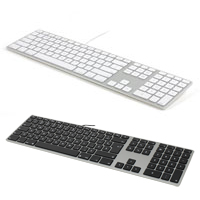
Inspired by the Apple design philosophy, the Matias Wired Aluminum Keyboard is for individuals who miss the Apple Wired Keyboard with Numeric Keypad. It incorporates all of the key design elements Mac owners are familiar with; a silver aluminum case ...
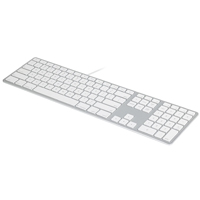
Inspired by the Apple design philosophy, the Matias Wired Aluminum Keyboard is for individuals who miss the Apple Wired Keyboard with Numeric Keypad. It incorporates all of the key design elements Mac owners are familiar with; a silver aluminum case with white keycaps, a 2 port USB 2.0 hub, all the special Mac functions that were on the (now discontinued) Apple Wired Keyboard with Numeric Keypad, and a hard wired connection via a USB cable (included USB-A to USB-C adapter provides multi-generational compatibility). It is also available with a Space Grey housing and Black keycaps. Both colour combinations are also available with French Canadian legends.
This Matias product also includes some notable improvements, such as high quality Matias scissor switches to provide a satisfying typing experience despite the slim design. It also adds a high precision volume control dial with 64 levels on the top edge of the keyboard offering advanced control for those who desire more accurate volume control than the 16 settings provided through the traditional volume up and down keys. When intense numeric data entry is required, the dedicated numeric keypad provides full functionality. And with a nominal weight of just 1.2 lbs and a one meter (3.25 foot) USB cable, the Wired Aluminum Keyboard is also highly portable.
The Matias Wired Aluminum Keyboard is compatible with Mac OS X all the way back to Version 10.6.8 (Snow Leopard).
If function is important but cost is a factor the Wired Keyboard for Mac offers the same features and functionality but in a more economical plastic housing.
Inspiré par la philosophie de conception de Apple, le clavier Matias Wired Aluminum Keyboard est pour les individus qui manquent le clavier Apple Wired Keyboard with Numeric Keypad. Il a tous les éléments de conception importants et familiers; un boîtier en aluminium argenté avec des touches blanches, un concentrateur USB 2.0 à 2 ports, toutes les fonctions spéciales de Mac qui étaient sur le clavier Apple Wired Keyboard with Numeric Keypad (qui est maintenant discontinuer), et une connection hard wired avec câble USB. Il est également disponible avec un boîtier gris spatial et des touches noires. Les deux combinaisons de couleurs sont également disponibles avec des légendes canadiennes françaises.
Parmi les améliorations apportées à ce produit Matias, sont les interrupteurs à ciseaux Matias offrant une expérience satisfaisante pour la dactylo avec un clavier mince. Matias a également ajouté un cadran (dial) pour le contrôle de volume qui est de haute précision avec 64 niveaux sur le bord supérieur du clavier pour ceux qui souhaitent un contrôle du volume plus précis que les 16 paramètres fournis par les clés traditionnelles de volume haut et bas. Pour les dévoreurs de chiffres, un pavé numérique offre la fonctionnalité complète. Et avec un poids de seulement 1.2 livres et un câble USB d'une metre (3.25`), le Wired Aluminum Keyboard est aussi extêmement portable/mobile.
Le Matias Wired Aluminum Keyboard est compatible avec Mac OS X jusqu'au Version 10.6.8 (Snow Leopard).
Si la fonction est importante mais que le coût est un facteur, le Wired Keyboard for Mac offre les mêmes fonctions mais dans un boîtier général en plastique plus économique.
Models
Model #
Description
Price
In Stock?
Buy Now
FK318S
Silver Housing with White Keys, (USB-C / USB-A)
$89.00
Yes
FK318B
Space Grey Housing with Black Keycaps, (USB-C / USB-A)
$89.00
Yes
FK318B-FC
Space Grey Housing with Black Keycaps with French Canadian Legends, (USB-C / USB-A)
$89.00
Yes
FK318S-FC
Silver Housing with White Keycaps with French Canadian Legends, (USB-C / USB-A)
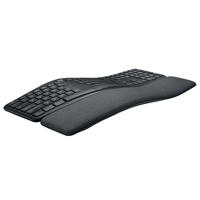
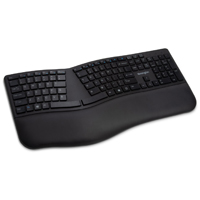
The Ergo K860 Keyboard from Logitech features a flowing design that orients keys at varying angles across the keyboard. The K860 alpha/numeric keys transition through a concave arc from almost level at the centre to about 5° at the right and left ...
The Ergo K860 Keyboard from Logitech features a flowing design that orients keys at varying angles across the keyboard. The K860 alpha/numeric keys transition through a concave arc from almost level at the centre to about 5° at the right and left edges. The navigation cluster on the right then completes the transition to a fully flat numeric keypad. The left and right key groups are also angled or "splayed" outward to encourage adoption of a more neutral alignment of the wrists. The Ergo K860 also has an attached 3.5" deep cushioned palm support which rises up to match the keyboard elevation. This needs to be taken into consideration when deploying the K860 into a workstation.
While the K860 has a slender low profile the angled design results in the middle keys being elevated to 1.5". This elevation may require individuals to either raise their seats to accommodate the height of the keyboard or to use a keyboard tray to lower the keyboard into their lap. The keyboard is also equipped with front legs that can be used to raise the front to create either 4° or 7° negative slope intended to encourage better wrist alignment. Use of these legs may require further adjustments of seat or keyboard tray height because it adds another inch of elevation to the middle of the palm support and increases the risk of pressure points being created on the underside of the wrists.
The K860 features low-travel scissor switches with chiclet-style keycaps. Key activation is crisp and comparatively high force compared to other scissor switch devices and does require a significant degree of activation force. The low profile keycaps have a satin texture with a slight concave surface to aid in finger positioning.
L'Ergo K860 Keyboard de Logitech présente une forme fluide (flowing design) qui oriente les touches à différents angles sur le clavier. Les touches alphanumériques du K860 passent par un arc concave allant d'une position presque horizontale au centre à un angle d'environ 5° sur les bords droit et gauche. Le groupe de touches navigation situé à droite complète la transition vers un pavé numérique entièrement plat. Les groupes de touches gauche et droite sont également inclinés ou « ébrasser » vers l'extérieur pour encourager l'adoption d'un alignement plus neutre des poignets. L'Ergo K860 est également équipé d'un support de paume rembourré de 3.5po de profondeur qui se relève pour s'adapter à l'élévation du clavier. Cela devrait être tenu en compte lors de l'installation du K860 dans un poste de travail.
Tandis que le K860 ait un profil fin et bas, sa conception angulaire fait que les touches centrales sont surélevées de 1.5po. Cette surélévation peut obliger les personnes à surélever leur siège pour s'adapter à la hauteur du clavier ou à utiliser une tablette de clavier pour abaisser le clavier sur leurs genoux/cuisses. Le clavier est également équipé de pieds en avant qui peuvent être utilisés pour élever l'avant du clavier afin de créer une pente négative de 4° ou 7° prévu pour encourager un meilleur alignement du poignet. L'utilisation de ces pieds peut nécessiter d'autres ajustements de la hauteur du siège ou du tablette de clavier, car elle ajoute un pouce d'élévation supplémentaire au milieu du support de la paume et augmente le risque de créé des points de pression sur le dessous des poignets.
Le K860 a des interrupteurs à ciseaux avec distance court et des touches capuchons à chiclet. L'activation des touches sont significativement plus grande par rapport à d'autres dispositifs d'interrupteurs à ciseaux et nécessite une force d'activation significante. Les touches à profil bas ont une texture satinée avec une surface légèrement concave pour faciliter le positionnement des doigts.
Models
Model #
Description
Price
In Stock?
Buy Now
920-009166
Logitech Ergo K860 Keyboard, (Bluetooth / 2.4 GHz Wireless) NO 30 DAY CSG.
The Dvorak Pro Keyboard is the only standard, conventional keyboard to offer a hard-wired switchable QWERTY-DVORAK dual-legended layout. Unlike software solutions which require configuration and fail to function during the login process, the Dvorak P ...
The Dvorak Pro Keyboard is the only standard, conventional keyboard to offer a hard-wired switchable QWERTY-DVORAK dual-legended layout. Unlike software solutions which require configuration and fail to function during the login process, the Dvorak Pro is Plug and Play either QWERTY or DVORAK layout. The QWERTY Lock button at the top of the keyboard instantly toggles between modes, with the keycap indicator illuminated when QWERTY mode is active. The DVORAK legending is in the bottom left of each keycap, with slightly smaller QWERTY legends in the upper right of each keycap.
The Dvorak Pro uses quiet mechanical keyswitches incorporating Matias' new Quiet Click technology. Providing superior tactile feedback and high-performance, these switches also accommodate the faster typing speeds associated with mechanical keyboards but without the typical "click - clack" sound. The switches are high performance and durable with a rating of 50 million keystrokes. The keys have a full travel distance of 3.5 mm, with sculpted (i.e. concave) keycap tops helping to keep the hands in home row position, ensuring keying accuracy. The keycap legends are laser etched and will not wear off even with intense use. For convenience the keyboard also includes an embedded 3 port USB 2.0 hub.
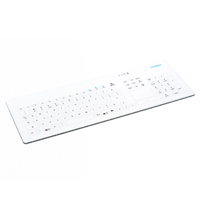
The Cleankeys CK4 Wireless Capacitive Desktop Glass Keyboard from GETT (formerly Indukeys) is a wipeable, waterproof wireless keyboard designed for environments in which hygienic conditions are a necessity, such as medical and dental operatories. The ...
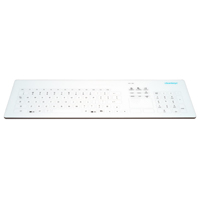
The Cleankeys CK4 Wireless Capacitive Desktop Glass Keyboard from GETT (formerly Indukeys) is a wipeable, waterproof wireless keyboard designed for environments in which hygienic conditions are a necessity, such as medical and dental operatories. The surface of this touch-sensitive (i.e. zero force) keyboard is a completely flat Gorilla Glass 3 that is easily cleaned using hospital-grade disinfectants. Keystrokes are activated by lightly touching the legended key areas on the surface as there are no moving mechanical parts in the keyboard. The keys have adjustable sensitivity and volume to provide some confirmation of input in the absence of tactile or haptic feedback. A touchpad area for mouse input (including two dedicated areas for left and right click) occupy the traditional location of the cursor keys. The directional cursor keys are still available and have been relocated below the Enter and Right Shift key area.
The ISO compliant standard 103 key layout makes the transition to a different keying action less daunting. The one-touch "Key Lock" feature locks out all key input to avoid accidental data entry, and is especially valuable when cleaning is required. This function is activated and de-activated by a simple 2-second touch on the "Key Lock" indicator.
For applications where wireless is not a necessity these same features are available in a Wired model.Note: The Wired model of the CK4 does NOT include the Pause/Break, Scroll Lock, or Print Screen Keys. The newer CK5 Wired model includes Print Screen and Pause as alternate Functions.
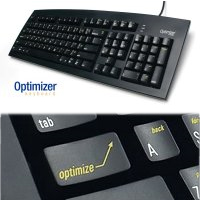
The Optimizer keyboard uses a 'layer shift' Optimize key (located where the CAPS LOCK is usually) to provide access to many commonly used functions and combination keystrokes.
Other keyboards force you to move your hands (and arms) to reach th ...
The Optimizer keyboard uses a 'layer shift' Optimize key (located where the CAPS LOCK is usually) to provide access to many commonly used functions and combination keystrokes.
Other keyboards force you to move your hands (and arms) to reach the commands you use all day, every day. The Optimizer puts those commands MUCH closer - at or near where your hands already are - so no time is wasted moving them. An optimizer 'shift' key replaces the CapsLock key, providing access to a layer of additional functions including:
Arrow Keys, Home, End, Page Up, Page Down, Equal (=) on Number Pad, Cut, Copy, Paste, Enter, Esc, Delete, Backspace, Erase Word, Select, Select All, Select Word, Move by Word, Web Browser Back, Forward, Launch Calculator, Caps Lock, Num Lock.
Le clavier Optimizer keyboard utilise un clé 'layer shift' Optimize (situé ou ce que le clé CAPS LOCK est d'habitude) pour founir l'accès de beaucoup de fonctions qui sont plus utilisé aussi que des touches combinaisons.
Autres claviers force vos mains (et les bras) pour atteindre les commandes que vous utilizez tout la journée, chaque jour. Le Optimizer met ces commandes BIEN PLUS proche d'ou sont vos mains déja - donc pas de temps gaspiller a bouger les mains. Le cle optimizer 'shift' remplace le clé CapsLock, qui fourni l'accès a une couche de fonctions supplémentaire comme ceci-
Les clés de navigation, maison, fin, page en haut, page en bas, égale (=) sur un pavé numerique, couper, copier, coller, entrée, echap, supprimer, reculer, effacer, sélection, tout sélection, sélection du mot, bouge par mot, navigateur web arrière, devant, calculatrice, verr maj. , verr num.( Arrow Keys, Home, End, Page Up, Page Down, Equal (=) on Number Pad, Cut, Copy, Paste, Enter, Esc, Delete, Backspace, Erase Word, Select, Select All, Select Word, Move by Word, Web Browser Back, Forward, Launch Calculator, Caps Lock, Num Lock.)
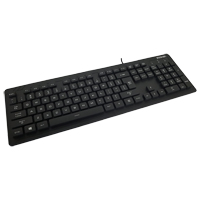
The Backlit Waterproof Keyboard from Solidtek combines the appearance and function of a traditional standard keyboard with the added convenience of being fully waterproof and equipped with backlit shine-through keycaps. These features make this an id ...
The Backlit Waterproof Keyboard from Solidtek combines the appearance and function of a traditional standard keyboard with the added convenience of being fully waterproof and equipped with backlit shine-through keycaps. These features make this an ideal keyboard for lowlight industrial applications.
Unlike many keyboards targeting the industrial field, this keyboard offers a much more traditional appearance and feel. The elevated square keycaps have a modern appearance and feel like traditional keyboards. The full-travel membrane keyswitches also offer activation response that is similar to a traditional keyboard, albeit with a somewhat higher resistance than most membrane keyboards. These features mean this keyboard is better suited to applications where more extended keyboard use is required. With the IP68 rating it provides all the necessary protection against dust and liquids while offering a better response than can be found on silicone-covered keyboards with the same rating but that are better suited for limited or occasional use.
The Full Size Keyboard with Built-in Touchpad from SolidTek is an all-in-one keyboard with all full-size keys and a built-in mini-size touchpad in a minimalist housing. This combo/all-in-one keyboard places the touchpad, including left and right butt ...
The Full Size Keyboard with Built-in Touchpad from SolidTek is an all-in-one keyboard with all full-size keys and a built-in mini-size touchpad in a minimalist housing. This combo/all-in-one keyboard places the touchpad, including left and right buttons, in the location of the traditional cursor keys (up, down, left, right). This means that the only way to access cursor keys is through the embedded navigation layer on the numeric keypad, accessed through NumLock. Because the touchpad is placed closer to the midline, there is no overreaching for the mouse.
NOTE: The touchpad in this keyboard is not a Cirque touchpad.
Models
Model #
Description
Price
In Stock?
Buy Now
ASK-7092U
Full Size Keyboard with Built-in Touchpad, (USB-A)
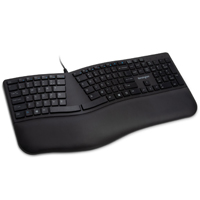
The Kensington Pro Fit Ergo Wired Keyboard features a winglike design that orients the alphanumeric keys at approximately 11° with the navigation and keypad keys being at 0°. This sloping of the keys reduces pronation of the hands and forearm ...
The Kensington Pro Fit Ergo Wired Keyboard features a winglike design that orients the alphanumeric keys at approximately 11° with the navigation and keypad keys being at 0°. This sloping of the keys reduces pronation of the hands and forearm while typing. The left and right key groups are also splayed outwards at 33° to encourage a more neutral alignment and reduce ulnar deviation at the wrists. The integrated palm support on the Pro Fit Wired Keyboard is just over 3" in depth, and offers cushioning for the palms. It is covered in a leatherette material that is easily cleaned.
The angle and height of the Pro Fit Ergo Wired Keyboard is such that the wrists are supported in a fairly neutral alignment when the elbows are about 1" below the desk surface. For those who would rather sit at a more ergonomic height (i.e. elbows at or just above desk height) and benefit from a slight improvement in wrist alignment there are legs built into the underside of the palm support. When deployed these elevate the front to create a nominal 4° negative slope. When the keyboard is flat the highest point on the keys is 1.4" and with the negative elevation legs deployed the highest point is 1.9".
The island-style keys are fairly quiet but it should be noted that they have a moderately high peak operation force of 55 grams, which over time can cause fatigue and strain on the fingers. As well, the inner columns of keys are wider to create a more appealing look but this can lead to inadvertently striking the keys off-centre. When struck to the edge there is a tendency for these keys to partially bind, thus requiring more force to complete the key activation. This could lead to dropped keystrokes and an overcompensation response of exerting a higher degree of force to ensure activation. With a limited travel distance of just 2.5mm this will likely lead to the fingers impacting at the end of each keystroke.
Le Kensington Pro Fit Ergo Wired Keyboard est en forme d'aile (winglike design) qui oriente les touches alphanumériques à environ 11°, les touches de navigation et du pavé numérique étant à 0°. Cette inclinaison des touches réduit la pronation des mains et des avant-bras pendant la dactylo. Les groupes de touches gauche et droite sont également ébrasés vers l'extérieur à 33° pour favoriser un alignement plus neutre et réduire la déviation ulnaire au niveau des poignets. Le support de paume intégré sur le Pro Fit Wired Keyboard mesure un peu plus de 3po de profondeur et offre un rembourrage pour les paumes. Il est recouvert d'un matériau en similicuir facile à nettoyer.
L'angle et la hauteur du Pro Fit Wired Keyboard sont tels que les poignets sont soutenus dans un alignement relativement neutre lorsque les coudes se trouvent à environ 1po sous la surface du bureau. Pour ceux qui préfèrent s'asseoir à une hauteur plus ergonomique (c'est-à-dire les coudes à la hauteur du bureau ou juste au-dessus) et bénéficier d'une légère amélioration de l'alignement des poignets, il y a des pieds qui sont intégrés sous le support de paume. Lorsqu'ils sont déployés, ils élèvent l'avant pour créer une pente négative nominale de 4°. Lorsque le clavier est à plat, le point le plus haut des touches est à 1.4po et lorsque les pieds d'élévation négative sont déployés, le point le plus haut est à 1.9po.
Les touches de style "island" sont assez silencieuses, mais il devrait être noter qu'elles ont une force de frappe significativement élevée de 55 grammes, ce qui, après un bout de temps, peut causer de la fatigue et des tensions sur les doigts. Également, les colonnes intérieures des touches sont plus larges pour créer un apparance plus intéressant, mais cela peut causer de frapper les touches sur le côté par accident au lieu du centre des touches. Lorsque les touches sont frappées sur le côté, elles ont tendance à se coller partiellement, ce qui nécessite une plus grande force pour compléter l'activation de la touche. Cela peut causer les caractères d'être perdus et une réponse excessive qui nécessite plus de force pour assurer l'activation de la touche. Avec une distance de déplacement limitée à 2.5mm, les doigts risquent d'avoir la vibration/choc de l'impact à la fin de chaque frappe.
Models
Model #
Description
Price
In Stock?
Buy Now
K75400US
Pro Fit Ergo Wired Keyboard, (USB-A) NO 30 DAY CSG.
The Wireless Aluminum Keyboard with Backlight from Matias adds yet another feature to the Apple-inspired Wireless Aluminum Keyboard inspired by the iconic original from Apple — Backlighting — with its own dedicated rechargeable battery. B ...
The Wireless Aluminum Keyboard with Backlight from Matias adds yet another feature to the Apple-inspired Wireless Aluminum Keyboard inspired by the iconic original from Apple — Backlighting — with its own dedicated rechargeable battery. Backlight brightness can be instantly adjusted in 10% increments using on-board shortcuts. With normal usage during the evenings and night, estimated time between charges is about 1 to 2 weeks.
The rest of the keyboard is identical to the standard Wireless Aluminum Keyboard, with a full-function numeric keypad, the ability to pair with up to 4 different Bluetooth devices and adjust its layout to be compatible with the active device (i.e. Android, Windows, iPad, etc.), and a surprisingly long-lasting 1600 mAh battery that can last up to an entire year without recharging. The extra capacity afforded by the battery allows this long life without the need to power down and disconnect during idle periods. This makes this wireless keyboard perform more like a wired keyboard in that it is always connected and ready without a "wake up" period.
The Wireless Aluminum Keyboard with Backlighting is equipped with high quality Matias scissor switches to provide a satisfying typing experience despite the slim design, weighs just 1.18 lbs, and comes in two different colors — Silver and Space Gray.
Those working on a PC may also be interested in the Backlit Wireless Multi-Pairing Keyboard which has the same functionality but in a basic plastic housing.
Le Wireless Aluminum Keyboard with Backlight de Matias ajoute encore une autre caractéristique au clavier Wireless Aluminum Keyboard inspiré par l'original iconique d'Apple - rétroéclairage - avec sa propre pile qui est rechargeable. La luminosité du rétroéclairage peut être ajuster instantanément par incréments de 10% à l'aide des touches du clavier. Avec une utilisation normale le soir et la nuit, le temps estimé entre les charges est d'environ 1 à 2 semaines.
Le reste du clavier est identique au clavier standard Wireless Aluminum Keyboard, avec un pavé numérique. Ce clavier peut fonctionner avec jusqu`à 4 autre dispositifs Bluetooth et peut aussi s`ajuster la disposition pour qu`il soit compatible quel que soit le système (c`est-à-dire Android, Windows, iPad, etc.). La pile 1600 mAh a une très longue vie qui permet ce clavier de fonctionner pour une année entier sans avoir besoin d`être recharger. Cette capaciter de la pile offre une longue vie sans avoir besoin d`éteindre et de débrancher durant les temps de repos. Cela fait ce clavier sans fil agir plus comme un clavier avec fil de sorte qu`il est connecté en tout temps et prêt à fonctionner sans avoir une période de “se réveiller”.
Le Wireless Aluminum Keyboard with Backlighting est équipé d'interuputeurs à ciseaux Matias de haute qualité pour offrir une expérience de dactylographie agréable malgré le concept mince. Avec un poids de seulement 1.18 livres, il est disponible en deux différentes couleurs — Argenté (Silver), et Gris (Space Gray).
Les gens qui travaillent sur un ordinateur PC peuvent être intéressés par le Backlit Wireless Multi-Pairing Keyboard qui offre les mêmes fonctions mais dans un boîtier général en plastique.
The Kensington Pro Fit Ergo Wireless Keyboard features a winglike design that orients the alphanumeric keys at approximately 11° with the navigation and keypad keys being at 0°. This sloping of the keys reduces pronation of the hands and fore ...
The Kensington Pro Fit Ergo Wireless Keyboard features a winglike design that orients the alphanumeric keys at approximately 11° with the navigation and keypad keys being at 0°. This sloping of the keys reduces pronation of the hands and forearm while typing. The left and right key groups are also splayed outwards at 33° to encourage a more neutral alignment and reduce ulnar deviation at the wrists. The integrated palm support on the Pro Fit Wireless Keyboard is just over 3" in depth, and offers cushioning for the palms. It is covered in a leatherette material that is easily cleaned.
The angle and height of the Pro Fit Ergo Wireless Keyboard is such that the wrists are supported in a fairly neutral alignment when the elbows are about 1" below the desk surface. For those who would rather sit at a more ergonomic height (i.e. elbows at or just above desk height) and benefit from a slight improvement in wrist alignment there are legs built into the underside of the palm support. When deployed these elevate the front to create a nominal 4° negative slope. When the keyboard is flat the highest point on the keys is 1.4" and with the negative elevation legs deployed the highest point is 1.9".
The island-style keys are fairly quiet but it should be noted that they have a moderately high peak operation force of 55 grams, which over time can cause fatigue and strain on the fingers. As well, the inner columns of keys are wider to create a more appealing look but this can lead to inadvertently striking the keys off-centre. When struck to the edge there is a tendency for these keys to partially bind, thus requiring more force to complete the key activation. This could lead to dropped keystrokes and an overcompensation response of exerting a higher degree of force to ensure activation. With a limited travel distance of just 2.5mm this will likely lead to the fingers impacting at the end of each keystroke.
The Pro Fit Ergo Wireless Keyboard is able to connect either via Bluetooth 4.0LE or the included 2.4GHz wireless receiver (replaceable if lost) which employs 128-bit AES government-grade encryption for security. The connection is switchable via a switch on the underside that also serves as a power switch.
Le Kensington Pro Fit Ergo Wireless Keyboard est en forme d'aile (winglike design) qui oriente les touches alphanumériques à environ 11°, les touches de navigation et du pavé numérique étant à 0°. Cette inclinaison des touches réduit la pronation des mains et des avant-bras pendant la dactylo. Les groupes de touches gauche et droite sont également ébrasés vers l'extérieur à 33° pour favoriser un alignement plus neutre et réduire la déviation ulnaire au niveau des poignets. Le support de paume intégré sur le Pro Fit Wireless Keyboard mesure un peu plus de 3po de profondeur et offre un rembourrage pour les paumes. Il est recouvert d'un matériau en similicuir facile à nettoyer.
L'angle et la hauteur du Pro Fit Wireless Keyboard sont tels que les poignets sont soutenus dans un alignement relativement neutre lorsque les coudes se trouvent à environ 1po sous la surface du bureau. Pour ceux qui préfèrent s'asseoir à une hauteur plus ergonomique (c'est-à-dire les coudes à la hauteur du bureau ou juste au-dessus) et bénéficier d'une légère amélioration de l'alignement des poignets, il y a des pieds qui sont intégrés sous le support de paume. Lorsqu'ils sont déployés, ils élèvent l'avant pour créer une pente négative nominale de 4°. Lorsque le clavier est à plat, le point le plus haut des touches est à 1.4po et lorsque les pieds d'élévation négative sont déployés, le point le plus haut est à 1.9po.
Les touches de style "island" sont assez silencieuses, mais il devrait être noter qu'elles ont une force de frappe significativement élevée de 55 grammes, ce qui, après un bout de temps, peut causer de la fatigue et des tensions sur les doigts. Également, les colonnes intérieures des touches sont plus larges pour créer un apparance plus intéressant, mais cela peut causer de frapper les touches sur le côté par accident au lieu du centre des touches. Lorsque les touches sont frappées sur le côté, elles ont tendance à se coller partiellement, ce qui nécessite une plus grande force pour compléter l'activation de la touche. Cela peut causer les caractères d'être perdus et une réponse excessive qui nécessite plus de force pour assurer l'activation de la touche. Avec une distance de déplacement limitée à 2.5mm, les doigts risquent d'avoir la vibration/choc de l'impact à la fin de chaque frappe.
Le Pro Fit Ergo Wireless Keyboard peut se connecter soit par Bluetooth 4.0LE ou par un clé USB 2,4 GHz inclus (remplaçable si perdu) qui utilise un cryptage AES 128 bits de niveau gouvernemental pour la sécurité. La connexion peut être facilement changer grâce à un bouton situé sous le clavier, qui sert également au bouton Connect/Off.
Models
Model #
Description
Price
In Stock?
Buy Now
K75401US
Kensington Pro Fit Ergo Wireless Keyboard, (2.4 GHz Wireless Dongle [USB-A]) NO 30 DAY CSG.
Reminiscent of Apple design concepts, the Wireless Aluminum Keyboard from Matias shifts the focus to enhanced product performance with a full-function numeric keypad, making this wireless keyboard suitable for all types of computing. The Bluetooth fu ...
Reminiscent of Apple design concepts, the Wireless Aluminum Keyboard from Matias shifts the focus to enhanced product performance with a full-function numeric keypad, making this wireless keyboard suitable for all types of computing. The Bluetooth function can pair with and retain always-live connections to as many as 4 different Bluetooth devices, automatically adjusting its layout to be compatible with the active device (i.e. Android, Windows, iPad, etc.). Mac-friendly function keys provide access to screen brightness and media controls. The high power, long-lasting 1600 mAh battery is able to provide up to a year of use between charges, without needing to power down and disconnect during idle periods. This makes this wireless keyboard perform more like a wired keyboard in that it is always connected and ready without a "wake up" period.
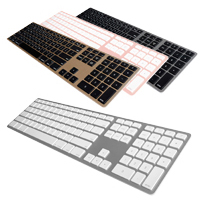
The Wireless Aluminum Keyboard is equipped with high quality Matias scissor switches to provide a satisfying typing experience despite the slim design, weighs just 1.18 lbs, and comes in four complimentary colors — Silver, Space Gray, Gold and Rose Gold.
If more frequent charging and a plastic housing are not an issue the budget-friendly Wireless Multi-Pairing Keyboard offers the same Bluetooth functionality with a shorter 3-month charge cycle.
Inspiré par la philosophie de conception de Apple, le clavier Wireless Aluminum Keyboard de Matias met l'accent sur l'amélioration des performances du produit avec un pavé numérique, ce qui rend ce clavier sans fil adapté à tous les types de travail. La fonction Bluetooth peut s'associer et maintenir des connexions permanentes avec jusqu'à 4 appareils Bluetooth différents, en ajustant automatiquement sa disposition pour être compatible quel que soit le système (c`est-à-dire Android, Windows, iPad, etc.). Des touches de fonction adaptées au Mac permettent d'accéder à la luminosité de l'écran et aux commandes multimédia. La batterie haute puissance a une très longue vie de 1600 mAh et est capable de fournir jusqu'à un an d'utilisation entre deux charges, sans avoir besoin de s'éteindre et de se déconnecter pendant les périodes d'inactivité. Cela fait ce clavier sans fil agir plus comme un clavier avec fil de sorte qu'il est connecté en tout temps et prêt à fonctionner sans avoir une période de “se réveiller”.
Le Wireless Aluminum Keyboard est équipé d'interuputeurs à ciseaux Matias de haute qualité pour offrir une expérience de dactylographie agréable malgré le concept mince. Avec un poids de seulement 1.18 livres, il est disponible en quatre différentes couleurs — Argenté (Silver), Gris (Space Gray), Or (Gold), et Or Rose (Rose Gold).
Si les recharges plus fréquentes et le boîtier en plastique ne sont pas un problème, le clavier Wireless Multi-Pairing Keyboard, plus économique, offre la même fonctionnalité Bluetooth avec un cycle de charge plus court de 3 mois.
The Cleankeys CK4 Wired Capacitive Desktop Glass Keyboard from GETT (formerly InduKey) is a wipeable, waterproof wired keyboard designed for environments in which hygienic conditions are a necessity, such as medical and dental operatories. The surfac ...
The Cleankeys CK4 Wired Capacitive Desktop Glass Keyboard from GETT (formerly InduKey) is a wipeable, waterproof wired keyboard designed for environments in which hygienic conditions are a necessity, such as medical and dental operatories. The surface of this touch-sensitive (i.e. zero force) keyboard is a completely flat Gorilla Glass that is easily cleaned using hospital-grade disinfectants. Keystrokes are activated by lightly touching the legended key areas on the surface as there are no moving mechanical parts in the keyboard. The keys have adjustable sensitivity and volume to provide some confirmation of input in the absence of tactile or haptic feedback. A touchpad area for mouse input (including two dedicated areas for left and right click) occupy the traditional location of the cursor keys. The cursor keys are still available; they have been relocated under the Enter and Right Shift key area. The integrated KEY LOCK function protects from accidental input by locking out key input during cleaning.
Note:This keyboard DOES NOT include the Print Screen, Scroll Lock, or Pause/Break keys. If you need these keys you should consider the Wireless version of this keyboard. The newest version from GETT, the Cleankeys CK5 Wired Capacitive Desktop Glass Keyboard, does offer the Print Screen & Pause key functions as secondary functions via the F4 & F5 keys when the Function key is activated but DOES NOT include the Scroll Lock key.
Inspired by the Apple design philosophy, the Matias USB-C Wired Aluminum Keyboard for Mac is for individuals who miss the Apple Wired Keyboard with Numeric Keypad. It incorporates all of the key design elements Mac owners are familiar with; a silver ...
Inspired by the Apple design philosophy, the Matias USB-C Wired Aluminum Keyboard for Mac is for individuals who miss the Apple Wired Keyboard with Numeric Keypad. It incorporates all of the key design elements Mac owners are familiar with; a silver aluminum case with white keycaps, a 2 port USB-C hub, all the special Mac functions that were on the (now discontinued) Apple Wired Keyboard with Numeric Keypad, and a hard wired connection via a USB-C cable.
This Matias product also includes some notable improvements, such as high quality Matias scissor switches to provide a satisfying typing experience despite the slim design. When intense numeric data entry is required, the dedicated numeric keypad provides full functionality. And with a nominal weight of just 1.2 lbs and a one-and-a-half meter (5 foot) USB-C cable, the USB-C Wired Aluminum Keyboard for Mac is also highly portable.
The Matias Wired Aluminum Keyboard is compatible with Mac OS X all the way back to v.10.6.8 or later.
If function is important but cost is a factor the USB-C Keyboard for Mac offers the same features and functionality but in a more economical plastic housing.
The USB-C Wireless Aluminum Keyboard for Mac from Matias reflects the same familiar Apple design concepts and high quality that Matias has employed for many years. With an anodized aluminum upper housing in Silver or Space Gray, and equipped with hig ...
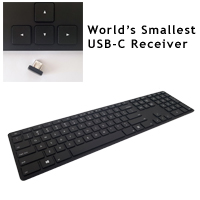
The USB-C Wireless Aluminum Keyboard for Mac from Matias reflects the same familiar Apple design concepts and high quality that Matias has employed for many years. With an anodized aluminum upper housing in Silver or Space Gray, and equipped with high quality Matias scissor switches, this keyboard is designed for durability and to provide a responsive typing experience. Mac-friendly function keys provide access to screen brightness and media controls. The slim, low-profile design has a complimentary light weight of just 1.18 lbs.
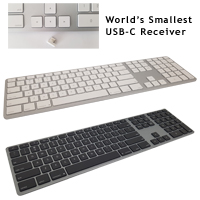
Wireless 2.4 GHz connectivity on the USB-C Wireless Aluminum Keyboard for Mac is provided through the world's smallest USB-C nano receiver. A high power, long-lasting 1600 mAh battery is able to provide up to 3 years of use between charges.
If more frequent charging and a plastic housing are not an issue the budget-friendly Silver Wireless USB-C Keyboard for Mac offers the same USB-C 2.4 ghZ wireless functionality with a smaller 500 mAh battery that can provide up to a year of use on a charge.
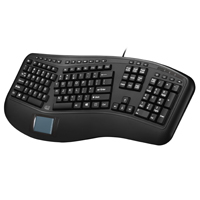
The Ergonomic Touchpad Keyboard from Adesso features a fixed split design and a built in touchpad. It employs moderate resistance tactile membrane keyswitches to provide feedback while typing with the integrated GlidePoint touchpad eliminating the ne ...
The Ergonomic Touchpad Keyboard from Adesso features a fixed split design and a built in touchpad. It employs moderate resistance tactile membrane keyswitches to provide feedback while typing with the integrated GlidePoint touchpad eliminating the need for extended reach to the mouse on the right. All of the alpha-numeric keys are standard size, unlike many similar keyboards that have wider keys to create a more symmetrical appearance. This means that a consistent target is present for the fingers on all keys. The Function row of keys are half-height, to help reduce the depth of the keyboard footprint and across the top of the keyboard are 20 hot-key buttons providing one-touch access to Internet Browser and Media Controls, Sleep/Wake/Power, and Calculator/My Computer/Media Player/Email. The keycap legends are twice the size of standard legending, making this suitable where higher visibility is required.
While the keyboard does offer a split layout, the separation in the middle is quite limited when compared to other split keyboards, even earlier models from Adesso. The minimal separation limits the benefit that the split could otherwise provide. The splay is also less than most other fixed-splay keyboards, only around 24°. The minimal separation and the reduced splay will result in some degree of wrist deviation for all except those of very slender build. The Navigation Keys, and especially the Numeric Keypad are angled the opposite of the Alpha/Numeric Keys, with the result being that orienting the hand to these, especially the numeric keypad, will require either a noticeable degree of outward rotation of the shoulder, abduction at the elbow, or ulnar deviation at the wrist.
The Ergonomic Touchpad Keyboard includes an integrated sloping palm support. However these are solely composed of hard plastic that is fairly slippery, causing the heels of the hands to slip back off the keyboard - those with longer hands will find this more noticeable. As well, the depth of the supports is noticeably shallower than earlier Adesso designs, especially for the right hand, further increasing the potential of slippage occurring.
Both left and right Space Bar keys lack stabilization which leads to a variance in activation feel over the width of the spacebar. In addition, the Caps Lock, Shift, Enter and both Space Bar keys are recessed slightly lower than the other keys, permitting less travel. As a result all of these bottom-out earlier than the other keys, which can be disconcerting and break typing rhythm.
The left and right alpha-numeric key groupings also feature slightly differing angles and keycap elevation. The left has both a slightly steeper angle and greater keycap elevation from row to row than the right key group. While the variance is not pronounced there may be those who find it significant enough to affect their positional proprioception.
Models
Model #
Description
Price
In Stock?
Buy Now
AKB-450UB
Ergonomic Touchpad Keyboard, Black (USB-A) NO 30 DAY CSG.
The USB-C Wireless Aluminum Keyboard for PC from Matias reflects the same familiar design concepts and high quality that Matias has employed for many years. With a Black anodized aluminum upper housing, and equipped with high quality Matias scissor s ...
The USB-C Wireless Aluminum Keyboard for PC from Matias reflects the same familiar design concepts and high quality that Matias has employed for many years. With a Black anodized aluminum upper housing, and equipped with high quality Matias scissor switches, this keyboard is designed for durability and to provide a responsive typing experience. Media control is achieved through alternate functions on the F7-F9 keys. The slim, low-profile design has a complimentary light weight of just 1.18 lbs.
Wireless 2.4 GHz connectivity on the USB-C Wireless Aluminum Keyboard for PC is provided through the world's smallest USB-C nano receiver. A high power, long-lasting 1600 mAh battery is able to provide up to 3 years of use between charges.
If more frequent charging and a plastic housing are not an issue the budget-friendly Wireless USB-C Keyboard for PC offers the same USB-C 2.4 ghZ wireless functionality with a smaller 500 mAh battery that can provide up to a year of use on a charge.
The CleanType Easy Basic Keyboard from GETT is a membrane-style keyboard designed for use in environments where the potential for exposure to dust, liquids, or contamination exists. With an IP68 rating this keyboard is dustproof and can be submersed ...
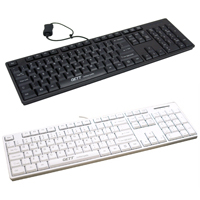
The CleanType Easy Basic Keyboard from GETT is a membrane-style keyboard designed for use in environments where the potential for exposure to dust, liquids, or contamination exists. With an IP68 rating this keyboard is dustproof and can be submersed up to 39" deep in water. This sealed design ensures reliability under demanding conditions that standard off-the-shelf keyboards cannot withstand. It also makes it a logical keyboard for installation in hygiene sensitive areas where regular cleaning is necessary.
The waterproof capabilities mean the CleanType Easy Basic Keyboard can easily be given a quick brush and wipedown using water or common cleaning solutions while still active by employing the "Keylock" function to block unintentional data entry. When more intense cleanings are required it can be unplugged and fully submersed in running water. The 15 cm quick-disconnect cable is easily detached from the included USB extension and has a silicone cover that seals the USB connector to protect it from damage. To serve in a wide variety of environments the CleanType Easy Basic Keyboard is available in both White and Black models. Note: If the suitability of a specific cleaning solution needs to be confirmed please see the Cleaning Instructions and Resistance to Materials pages.
Le CleanType Easy Basic Keyboard de GETT est un clavier avec interrupteurs membrane conçu pour être utilisé dans des environnements où il existe un risque d`exposition à la poussière, aux liquides ou à la contamination. Avec une évaluation IP68, ce clavier est imperméable à la poussière et peut être immergé dans l`eau jusqu`à une profondeur de 39 pouces. Cette conception d`imperméable garantit une fiabilité dans des conditions exigeantes auxquelles les claviers standard ne peuvent pas supporter. Il en fait est également un clavier logique pour une installation dans des endroits sensibles de l`hygiène, où un nettoyage régulier est nécessaire.
Les capacités d`imperméable signifie que le CleanType Easy Basic Keyboard peut facilement être brossé et essuyé avec de l`eau ou des solutions de nettoyage courantes lorsqu`il est encore actif, en utilisant la fonction "Keylock" pour bloquer l`activation involontaire de données. Lorsque des nettoyages plus intenses sont nécessaires, il peut être débranché et entièrement immergé dans l`eau courante. Le câble à déconnexion rapide de 15 cm se détache facilement de la rallonge USB incluse, qui inclus un couvert de silicone qui scelle le connecteur USB pour le protéger des dommages. Pour servir dans une grande variété d`environnements, le clavier CleanType Easy Basic Keyboard est disponible en blanc et en noir.
The Wireless Multi-Pairing Keyboard from Matias is for individuals who miss the Apple Wired Keyboard but want the cordless freedom of Bluetooth connection. This keyboard can pair with, and retain, always-live connections to as many as 4 different Blu ...
The Wireless Multi-Pairing Keyboard from Matias is for individuals who miss the Apple Wired Keyboard but want the cordless freedom of Bluetooth connection. This keyboard can pair with, and retain, always-live connections to as many as 4 different Bluetooth devices, switching between them with the touch of a key and automatically adjusting its layout to be compatible with the active device (i.e. Android, Windows, iPad, etc.). The rechargeable battery is able to provide up to three months of use between charges, without needing to power down and disconnect during idle periods. This makes this wireless keyboard perform more like a wired keyboard in that it is always connected and ready without a "wake up" period. The Mac model also offers screen brightness and media control via the FN keys. Matias scissor switches provide a satisfying typing experience on this slim, low-profile keyboard.
The Matias Wireless Multi-Pairing Keyboard is available for both Mac and PC, Model FK416BT is compatible with Mac OS X all the way back to Version 10.6.8 (Snow Leopard) and is available in Silver. The PC model (FK416PCBT) is legended for Windows OS and is available in Black.
For heavy use the Wireless Aluminum Keyboard offers the same functionality but has four times the battery life and a rigid aluminum housing.
Le Wireless Multi-Pairing Keyboard de Matias est pour les personnes qui manquent le clavier Apple Wired Keyboard mais qui veulent la connection Bluetooth. Ce clavier peut s'associer et conserver des connexions permanentes avec jusqu'à 4 périphériques Bluetooth différents, passant de l'un à l'autre par simple pression d'une touche et ajustant automatiquement sa disposition pour être compatible quel que soit le système (Android, Windows, iPad, etc.). La batterie rechargeable est capable de fournir jusqu'à trois mois d'utilisation entre deux charges, sans avoir besoin de s'éteindre et de se déconnecter pendant les périodes d'inactivité. Ainsi, ce clavier sans fil se comporte d'avantage comme un clavier avec fil, dans la mesure où il est toujours connecté et prêt à fonctionner, sans période de " réveil ". Le modèle Mac offre également un contrôle de la luminosité de l'écran et des médias via les touches FN. L'interuputeurs à ciseaux Matias de haute qualité offrent une expérience de dactylographie agréable malgré le concept mince.
Le Matias Wireless Multi-Pairing Keyboard est disponible pour Mac et PC. Le modèle FK416BT est compatible avec Mac OS X jusqu'à la version 10.6.8 (Snow Leopard) et est disponible en couleur argent (Silver). Le modèle PC (FK416PCBT) est compatible pour Windows OS et est disponible en noir.
Pour une utilisation intensive, le clavier Wireless Aluminum Keyboard offre les mêmes fonctionnalités, mais dispose d'une vie de pile quatre fois supérieure et d'un boîtier en aluminium rigide.
Models
Model #
Description
Price
In Stock?
Buy Now
FK416BT
Matias Wireless Multi-Pairing Keyboard for Mac, Silver Plastic Housing with Black Keycaps, (Bluetooth)
$89.00
Yes
FK416PCBT
Matias Wireless Multi-Pairing Keyboard for PC, Black Plastic Housing with Black Keycaps, (Bluetooth)