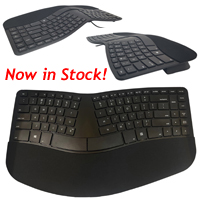
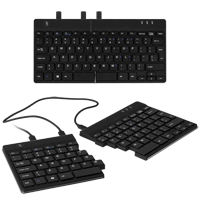
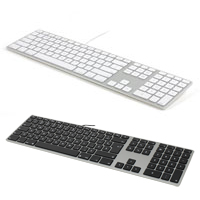
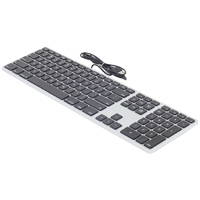
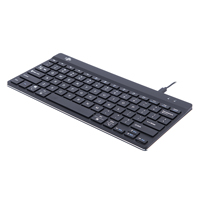
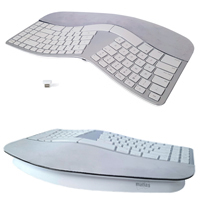
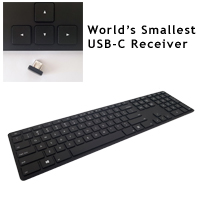
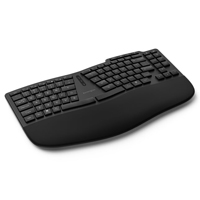
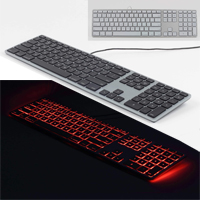
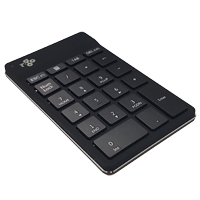
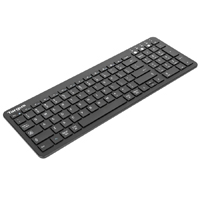
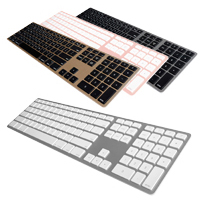
The Compact Financial Membrane Keyboard for PC from Matias features standard keys (both key pitch and key cap size) throughout all primary keys in a reduced width of 14.25". The only exception to this are the upper row of function keys which are slig ...
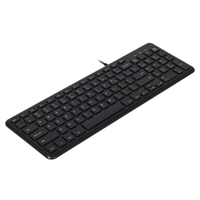
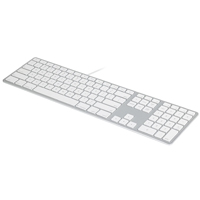
The Compact Financial Membrane Keyboard for PC from Matias features standard keys (both key pitch and key cap size) throughout all primary keys in a reduced width of 14.25". The only exception to this are the upper row of function keys which are slightly wider and about half the standard height, and the directional arrow keys clustered below the right-hand Shift key which are also reduced height. The discrete numeric keypad on the right-hand side is ideal for those who require it for regular numeric data entry. This keyboard uses high quality low-travel (2 mm) Matias scissor-switch membrane keyswitches, with slightly concave keycap tops to assist typists in maintaining accurate finger contact.
At just 14.25" in width, this keyboard is roughly 3.0" narrower on the right side than the average conventional keyboard. This significantly reduces the overreaching that can occur when accessing a mouse on the right, while still retaining all standard keyboard keys/functionality. The low profile housing also greatly reduces the risk of the wrists moving into a position of extension.
Le Compact Financial Membrane Keyboard for PC de Matias présente des touches standard (key pitch aussi que la taille des capuchons) sur toutes les touches primaires dans une largeur réduite de 14.25po. La seule exception est la rangée supérieure de touches de fonction, qui sont légèrement plus large et dont la hauteur est réduite de moitié, ainsi que les touches de direction regroupées sous la touche Shift de droite, dont la hauteur est également réduite. Le pavé numérique discret situé sur le côté droit est idéal pour ceux qui en ont besoin pour faire des calculs ou autre données numériques régulièrement. Ce clavier utilise des interrupteurs à membrane ciseaux Matias de haute qualité à course bas (2 mm), avec des capuchons légèrement concaves pour aider les gens à maintenir un contact précis avec leurs doigts durant la dactylo.
Avec seulement 14.25po de largeur, ce clavier est environ 3po plus étroit sur le côté droit que les claviers conventionnels standard. Cela réduit considérablement l'extension qui peut se produire lors de l'accès à une souris sur la droite, tout en conservant toutes les touches/fonctionnalités standard du clavier. Le boîtier à profil bas réduit également considérablement le risque de voir les poignets se mettre en position d'extension.
The Posturite Number Slide Compact Keyboard helps to reduce the risks associated with overreaching for the mouse without sacrificing the convenience of an integrated numeric keypad. Housed within the body of the keyboard, the numeric keypad remains t ...
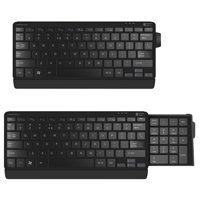
The Posturite Number Slide Compact Keyboard helps to reduce the risks associated with overreaching for the mouse without sacrificing the convenience of an integrated numeric keypad. Housed within the body of the keyboard, the numeric keypad remains tucked out of the way until needed, allowing individuals to keep the mouse closer within the Comfort Zone when the numeric keypad is not in use. When extensive numeric entry is required the number pad is easily extended and is just as easily stored away again when no longer needed.
The keyboard features scissor-switch keyswitches with chiclet (or island-style) key caps. At 19 mm, the key pitch (i.e. the distance from the left edge of one key to the left edge of the adjacent key) is the same as the key pitch on a standard-sized keyboard, therefore requiring no learning curve. The keyboard, equipped with two USB ports, only 11.6" wide (with numeric keypad retracted), and 15.3" (with keypad extended), is well suited to mobile applications or to occasional use in confined spaces.
Two models are available: a standard wired version, and a rechargeable Bluetooth version. The wired model is compatible with all versions of Windows, and Windows Mobile. The Bluetooth version adds support for both iOS and Android mobile devices.
Le Number Slide Compact Keyboard de Posturite permet de réduire les risques associés avec s'étirer trop pour chercher la souris sans sacrifier la commodité d'un pavé numérique intégré. Emboîter dans le clavier, le pavé numérique reste cacher jusqu'à ce qu'il soit nécessaire, ce qui permet les individus de garder la souris plus près de la zone de confort lorsque le pavé numérique n'est pas utilisé. Lorsqu'une saisie numérique est nécessaire, le pavé numérique se déploie facilement et se range tout aussi facilement lorsqu'il n'est plus nécessaire.
Le clavier est équipé d'interrupteurs à ciseaux et de touches à capuchon de type chiclet (island-style). Avec ses 19 mm, le key pitch (c'est-à-dire la distance entre le bord gauche d'une touche et le bord gauche de la touche adjacente) est identique à celui d'un clavier de taille standard et ne nécessite donc aucun apprentissage. Le clavier est également équipé de deux ports USB et possède une protection antimicrobienne BioCote® intégrée aux matériaux. Avec une largeur de seulement 11.6 pouces (avec le pavé numérique rétracté) et 15.3 pouces (avec le pavé numérique étendu), le clavier est bien adapté aux applications mobiles ou à une utilisation occasionnelle dans des espaces confinés.
Deux modèles sont disponibles : une version standard avec fil, et une version Bluetooth rechargeable. Le modèle avec fil est compatible avec toutes les versions de Windows et de Windows Mobile. La version Bluetooth est compatible avec les appareils mobiles iOS et Android.
Models
Model #
Description
Price
In Stock?
Buy Now
982-0012
Number Slide Compact Keyboard with Retractable Number Pad, Wired, (USB-A)
$97.50
Yes
982-0013
Number Slide Compact Keyboard with Retractable Number Pad, (Bluetooth) CALL. NO ETA.
Available in both English and French Canadian layouts, the Sculpted Ergonomic Rechargeable Keyboard for PC from Matias reflects many of the features appreciated in the discontinued Microsoft Sculpt Ergonomic Keyboard. It combines the same familiar la ...
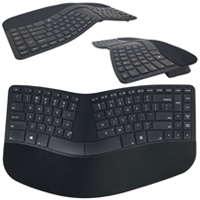
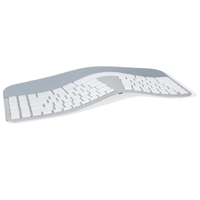
Available in both English and French Canadian layouts, the Sculpted Ergonomic Rechargeable Keyboard for PC from Matias reflects many of the features appreciated in the discontinued Microsoft Sculpt Ergonomic Keyboard. It combines the same familiar layout, very similar styling and ergonomic design, with laptop-style Matias scissor-switch membrane chiclet keyswitches. Enhanced functionality is also provided, with the addition of an embedded numeric keypad making this keyboard a true compact layout, and performance-oriented individuals will appreciate the full on-board and driver-free programming capabilities that the Sculpted Ergonomic Rechargeable Keyboard for PC offers. Serious typists will also appreciate the inclusion of an illuminated Caps Lock indicator. The removable (attaches magnetically) padded palm support uses genuine tree rubber for an enhanced thicker and denser cushion and the included optional (also attached magnetically) Negative Tilt Bar can be used to elevate the front of the keyboard to create an ergonomic negative slope that can aid in reducing wrist extension. However, because this elevates the keyboard, typists need to ensure that they are able to adjust the keyboard position to an appropriate height or they may actually be moving to a "less" ergonomic position when attaching this accessory.
The Sculpted Ergonomic Rechargeable Keyboard for PC can connect either as a wireless device (using either of the included USB-A or USB-C receivers), or as a wired device by employing the USB-C charging cord which doubles as a data cable. When in wireless mode it employs Advanced Encryption Standard (AES-128) technology, designed to help protect sensitive data by encrypting keystrokes. The included USB receivers are also replaceable should either (or both) be lost (unlike the discontinued Microsoft product), saving the hassle of a costly keyboard replacement.
Those working in Mac environment will want to purchase the Sculpted Ergonomic Rechargeable Keyboard for Mac.
Disponible en anglais et en français, le Sculpted Ergonomic Rechargeable Keyboard for PC de Matias reprend de nombreuses caractéristiques du Microsoft Sculpt Ergonomic Keyboard (discontinué). Il combine la même disposition familière, style et ergonomie très similaires, avec des interuputeurs à ciseaux Matias de style comme ordinateur portable, chiclet. Les fonctionnalités sont également améliorées grâce à l'ajout d'un pavé numérique intégré, ce qui fait de ce clavier un véritable modèle compact. Les gens plus orientés vers la performance et qui veulent personnaliser leur clavier apprécieront les capacités complètes de programmation on-board et sans pilote que le Sculpted Ergonomic Rechargeable Keyboard for PC offre. Les gens qui font beaucoup de dactylo apprécieront également l'indicateur lumineux du Caps Lock. Le support de paume rembourré, qui peut être enlever (fixé magnétiquement), utilise du caoutchouc d'arbre véritable pour un coussin plus épais et plus dense. La barre d'inclinaison négative optionnelle qui est inclus (également fixée magnétiquement) peut être utilisée pour élever l'avant du clavier afin de créer une inclinaison négative ergonomique qui peut aider à réduire l'extension du poignet. Cependant, comme cet accessoire élève le clavier, les gens doivent s'assurer qu'ils sont en mesure d'ajuster la position du clavier à une hauteur appropriée, sinon ils risquent d'adopter une position "moins" ergonomique lorsqu'ils fixent cet accessoire.
Le Sculpted Ergonomic Rechargeable Keyboard for PC peut se connecter soit en tant qu'appareil sans fil (à l'aide des clés USB-A ou USB-C qui sont inclus), soit en tant qu'appareil avec fil en utilisant le câble de charge USB-C, qui est également la câble de data. En mode sans fil, il utilise la technologie Advanced Encryption Standard (AES-128), conçue pour protéger les données sensibles en dactylo cryptées. Les clés USB inclus sont également remplaçables en cas de perte de l'un ou l'autre (ou des deux) (contrairement au produit discontinué de Microsoft), ce qui permet d'éviter les ennuis liés au remplacement coûteux du clavier.
Les gens qui travaille en Mac vont vouloir commander le Sculpted Ergonomic Rechargeable Keyboard for Mac .
Veuillez noter: Les deux souris Matias Wireless USB-C Mouse et la Wireless USB-C Pro Mouse peuvent être connectées simultanément avec le clavier, en utilisant le même récepteur USB-C, nécessitant ainsi qu'un seul port.
Models
Model #
Description
Price
In Stock?
Buy Now
FK413PCD
Matias Sculpted Ergonomic Rechargeable Keyboard for PC, US English layout, (2.4 GHz RF Wireless [USB-C & USB-A] / Wired [USB-C/USB-A])
$169.00
Yes
FK413PCD-FC
Matias Sculpted Ergonomic Rechargeable Keyboard for PC, French Canadian Legended, (2.4 GHz RF Wireless [USB-C & USB-A] / Wired [USB-C/USB-A])
The Balance Keyboard from Contour Design is specifically designed to work with the RollerMouse Red, Red Plus, and Free3. It will also work with the RollerMouse Go but in that case the numeric keypad will extend past the end of the RollerMouse Go devi ...
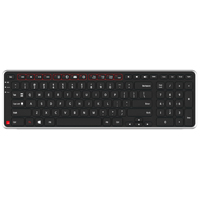
The Balance Keyboard from Contour Design is specifically designed to work with the RollerMouse Red, Red Plus, and Free3. It will also work with the RollerMouse Go but in that case the numeric keypad will extend past the end of the RollerMouse Go device. The slim bezel at the front edge of the keyboard ensures that the hands have only a minimal reach between the rollerbar and the keyboard. In addition the shallow depth of the Balance Keyboard, just 4.7", can accommodate deployment of inline pointing devices where many keyboards will not fit due to limited tray depth.
The underside of the Balance Keyboard is contoured to elevate the front to the same height as a RollerMouse rollerbar, making the transition from typing to mousing virtually seamless. This also creates an ergonomically desirable negative incline (or downward slope), elevating the heel of the hand to reduce wrist extension, and virtually eliminates the risk of accidentally touching the rollerbar when typing. Fold out feet at the back can be used to level the keyboard if desired or even raise the rear edge higher than the front to create a positive incline (Note: This is not recommended).
The Balance Keyboard features a compact layout that brings the numeric keypad closer to the home row position. This layout is often referred to as a "compact financial" keyboard because it offers a reduced overall footprint while still retaining a discrete numeric keypad. This reduced footprint is beneficial for individuals who use a traditional mouse with their right hand as the reaching distance when moving between typing and mousing is reduced. The Balance Keyboard is equipped with low-travel scissor-switch style keys. The chiclet-style keycaps are almost flat, with a very slight convex curvature. The "island" layout provides separation between keys. For convenience there are keys for accessing common functions such as Calculator, Web and Email, keys for media control, and the traditional function keys (F1 - F12) are accessible via the Fn Lock feature.
The Balance Keyboard is available in both USB-A wired and wireless models. The wireless uses two AAA batteries and comes with a storable USB-A receiver. There is no need for an ON/OFF switch due to smart, power-saving technology. The 102104 & BALANCE-US-WIRED only have PC legending but the BALANCE-US-WIRED-BK now includes PC and Mac legends and ships with a USB-A to USB-C adapter. All models are switchable and will work on either PC or Mac OS. Mac drivers are available for download. Select models of the Balance Keyboard are available at a discount when purchased as a bundle with select RollerMouse models (see the RollerMouse model listings for available bundle options).
Note: Data being entered using wireless products from Contour Design is secured using AES 128 bit encryption.
Le Balance Keyboard de Contour Design est spécialement conçu pour fonctionner avec les RollerMouse Red, Red Plus et Free3. Il peut également être utilisé avec la RollerMouse Mobile, mais dans ce cas, le pavé numérique dépasse l'extrémité de la RollerMouse. Le boîtier mince du clavier garantit que les mains n'ont qu'une distance minimale entre la barre à roulettes et le clavier. De plus, le profondeur du clavier Balance Keyboard, de seulement 4.7po, permet de déployer des dispositifs de pointage en ligne là où de nombreux claviers ne peuvent pas être installés en raison de la profondeur limitée d'un tablette (tray).
Le dessous du Balance Keyboard est profilée pour élever l'avant à la même hauteur que la barre du RollerMouse, ce qui permet de faire la dactylo à la souris sans problème. Cela crée également une inclinaison négative (ou pente descendante) ergonomiquement souhaitable, élevant le talon de la main pour réduire l'extension du poignet, et élimine pratiquement le risque de toucher accidentellement la barre cylindrique entre la dactylo. Les pieds repliables situés à l'arrière peuvent être utilisés pour mettre le clavier à niveau, si vous le souhaitez, ou même pour élever le côté arrière plus haut que le côté devant afin de créer une inclinaison positive (Veuillez noter: ceci n'est pas recommandé).
Le Balance Keyboard présente une disposition compacte qui rapproche le pavé numérique de la position de la rangée médianne (home row). Cette disposition est souvent appelée un clavier "compact financial" car la taille est physiquement plus petite, tout en conservant un pavé numérique discret. Cette taille plus petite est bien pour les personnes qui utilisent une souris traditionnelle avec leur main droite, car la distance à s'étirer pour passer de la dactylo à la souris est réduite. Le Balance Keyboard est équipé de touche à membrane avec interrupteurs à ciseaux (distance court). Les touches capuchons à chiclet sont presque plates, avec une très légère courbure convexe. La disposition en style "island" assure une séparation entre les touches. Il existe des touches utile pour accéder aux fonctions communes telles que la Calculatrice, le Web et Courriel, des touches de contrôler les médias, et les touches de fonction traditionnelles (F1 à F12) sont accessibles via la fonction FN Lock.
Le Balance Keyboard est disponible en version avec USB-A fil et sans fil. Le modèle sans fil utilise deux piles AAA et est livré avec un petit clé USB-A qui peut facilement être ranger. Il n'est pas nécessaire d'utiliser un bouton (switch) on/off grâce à une technologie intelligente d'économie d'énergie. Les modèles BALANCE-US et BALANCE-US-WIRED (noir/gris) ont seulement des légendes pour PC, mais le modèle BALANCE-US-WIRED-BK (noir) a maintenant des légendes pour PC et Mac et est livré avec un adaptateur USB-A à USB-C. Tous les modèles peuvent être changer (switchable) et fonctionneront sur PC ou Mac OS. Les pilotes Mac sont disponibles en téléchargement. Certains modèles du Balance Keyboard est disponible à un prix réduit lorsqu'il est acheté dans un bundle avec certains modèles de RollerMouse (voir la liste des modèles de RollerMouse pour les options de bundles disponibles).
Veuillez noter: Les données saisies à l'aide des produits sans fil de Contour Design sont sécurisées par un cryptage AES 128 bits.
Available in both English and French Canadian layouts, the Sculpted Ergonomic Wired Keyboard for PC from Matias reflects many of the features appreciated in the discontinued Microsoft Sculpt Ergonomic Keyboard, but with only wired connectivity. It co ...
Available in both English and French Canadian layouts, the Sculpted Ergonomic Wired Keyboard for PC from Matias reflects many of the features appreciated in the discontinued Microsoft Sculpt Ergonomic Keyboard, but with only wired connectivity. It combines the same familiar layout with laptop-style Matias scissor-switch membrane chiclet keyswitches. Enhanced functionality is also provided, with the addition of an embedded numeric keypad making this keyboard a true compact layout. Serious typists will also appreciate the illuminated Caps Lock indicator. The padded palm support uses genuine tree rubber for an enhanced thicker and denser cushion and the included optional Negative Tilt Bar attaches magnetically to elevate the front of the keyboard, creating an ergonomic negative slope that can aid in reducing wrist extension. However, because this elevates the keyboard, typists need to ensure that they are able to adjust the keyboard position to an appropriate height or they may actually be moving to a "less" ergonomic position when attaching this accessory.
Performance-oriented individuals wishing to customize their keyboard input will appreciate the full on-board and driver-free programming capabilities that the Sculpted Ergonomic Wired Keyboard for PC offers.
Those working in Mac environment will want to purchase the Sculpted Ergonomic Wired Keyboard for Mac.
The Sculpted Ergonomic Wired Keyboard for PC is equipped for use on both standard USB-A and USB-C ports and there are also Rechargeable models for both PC and Mac.
Disponible en anglais et en français, le Sculpted Ergonomic Wired Keyboard for PC de Matias reprend de nombreuses caractéristiques du Microsoft Sculpt Ergonomic Keyboard (discontinué), mais avec une connectivité exclusivement avec fil. Il combine la même disposition familière avec des interuputeurs à ciseaux Matias de style comme ordinateur portable, chiclet. Les fonctionnalités sont également améliorées grâce à l'ajout d'un pavé numérique intégré, ce qui fait de ce clavier un véritable modèle compact. Les gens qui font beaucoup de dactylo apprécieront également l'indicateur lumineux du Caps Lock. Le support de paume rembourré, qui peut être enlever (fixé magnétiquement), utilise du caoutchouc d'arbre véritable pour un coussin plus épais et plus dense. La barre d'inclinaison négative optionnelle qui est inclus (également fixée magnétiquement) peut être utilisée pour élever l'avant du clavier afin de créer une inclinaison négative ergonomique qui peut aider à réduire l'extension du poignet. Cependant, comme cet accessoire élève le clavier, les gens doivent s'assurer qu'ils sont en mesure d'ajuster la position du clavier à une hauteur appropriée, sinon ils risquent d'adopter une position "moins" ergonomique lorsqu'ils fixent cet accessoire.
Les gens plus orientés vers la performance et qui veulent personnaliser leur clavier apprécieront les capacités complètes de programmation on-board et sans pilote que le Sculpted Ergonomic Wired Keyboard for PC offre.
Les gens qui travaillent en Mac vont vouloir commander le Matias Sculpted Ergonomic Wired Keyboard for Mac.
Le Sculpted Ergonomic Wired Keyboard for PC est équipé pour une utilisation sur les ports standard USB-A et USB-C et il existe également des modèles Rechargeables pour PC et Mac .
Models
Model #
Description
Price
In Stock?
Buy Now
FK313PC
Matias Sculpted Ergonomic Wired Keyboard for PC, US English layout, (USB-C / USB-A)
$115.00
Yes
FK313PC-FC
Matias Sculpted Ergonomic Wired Keyboard for PC, French Canadian Legended, (USB-C / USB-A)
The Split Break Ergonomic Keyboard from R-Go Tools is designed to accommodate a range of usage options. The keyboard is equipped with a permanent 10" cable that accommodates the needs of most typists. This cable make it possible to fully separate the ...
The Split Break Ergonomic Keyboard from R-Go Tools is designed to accommodate a range of usage options. The keyboard is equipped with a permanent 10" cable that accommodates the needs of most typists. This cable make it possible to fully separate the left and right keyboard modules, allowing the shoulders, elbows, arms and wrists to relax in an anatomically neutral position. This greatly improves posture and circulation in the upper body, prevents undesirable inward rotation at the shoulders, and can eliminate ulnar deviation at the wrist. The exceptionally thin (9 mm) profile of the Split Break Ergonomic Keyboard also greatly reduces the potential of developing RSI related to wrist extension. For those less comfortable with the concept of a separated keyboard the innovative magnetic interlocking design also permits the two keyboard modules to be combined into a more traditional one-piece compact keyboard just 11.4" in width.
Unlike most other separated keyboards, the Split Break Ergonomic Keyboard is asymmetrical, due to the absence of any extra keys on the left module. However, the compact layout greatly reduces the reach to the mouse for right-handed individuals and retains the standard minimal reach for left-handed mousing.
Those who are doing more intense numeric entry may wish to consider the R-Go Numpad Break, a matching discrete numeric keypad that is available in both Wired and Bluetooth models.
The Split Break Ergonomic Keyboard features low-travel scissor switch membrane key switches with chiclet-style keycaps. Those looking for an easily portable keyboard that offers advanced ergonomic benefits may want to consider this keyboard. The ultra-compact design and under 300 gram weight of the Split Ergonomic Keyboard make it highly suited for travel applications. An integrated "break" reminder can be activated to serve as a reminder to take regular relief breaks when working.
Le Split Ergonomic Keyboard de R-Go Tools est conçu pour satisfaire diverses options d'utilisation. En utilisant l’un des deux câbles(12po et 19po), les utilisateurs peuvent positionner les modules de clavier gauche et droit à la largeur des épaules, permettant ainsi aux épaules, aux coudes, aux bras et aux poignets de se détendre dans une position anatomiquement neutre. Cela améliore considérablement la posture et la circulation sanguine dans le haut du corps, empêche la rotation indésirable des épaules et élimine les déviations ulnaires au poignet. Le profil exceptionnellement fin (9 mm) du Split Ergonomic Keyboard réduit également considérablement le potentiel de développement de RSI lié à l'extension du poignet.
Pour les personnes moins à l'aise avec le concept d`un clavier séparé, la conception innovante magnétique permet également de combiner les deux modules de clavier dans un clavier compact plus traditionnel d'une seule morceau mésurant 11,4 pouces en largeur.
Contrairement à la plupart des claviers séparés, le Split Ergonomic Keyboard est asymétrique, en raison de l'absence de touches supplémentaires sur le module de gauche. Cependant, la structure compacte réduit considérablement de s`étirer pour chercher la souris pour les utilisateurs droitiers et conserve la distance minimal pour s`étirer pour la souris avec la main gauche.
Un pavé numérique est incorporée dans le module du droite pour les utilisateurs qui doivent parfois effectuer de plus grandes entrer numériques et est facilement accessible à l'aide de la touche Verr Num (NumLock). Les ports micro-USB gauche et droit sont disponibles pour la connexion de pavés numériques externes.
Le Split Ergonomic Keyboard comprend des touche à membrane avec interrupteurs à ciseaux (distance court) et des touches capuchons à chiclet. Les utilisateurs qui veulent un clavier facilement portable offrant des avantages ergonomiques avancés peuvent considérer ce clavier. Le concept ultra-compact et le poids moins de 300 grammes du Split Ergonomic Keyboard le rendent parfaitement adapté aux applications de mobile/portable.
Veuillez noter: Le R-Go Numpad Break NE PEUT PAS être brancher dans le R-Go Split Ergonomic Keyboard, et va avoir besoin de soit un port USB-C ou USB-A.
Inspired by the Apple design philosophy, the Matias Wired Aluminum Keyboard is for individuals who miss the Apple Wired Keyboard with Numeric Keypad. It incorporates all of the key design elements Mac owners are familiar with; a silver aluminum case ...
Inspired by the Apple design philosophy, the Matias Wired Aluminum Keyboard is for individuals who miss the Apple Wired Keyboard with Numeric Keypad. It incorporates all of the key design elements Mac owners are familiar with; a silver aluminum case with white keycaps, a 2 port USB 2.0 hub, all the special Mac functions that were on the (now discontinued) Apple Wired Keyboard with Numeric Keypad, and a hard wired connection via a USB cable (included USB-A to USB-C adapter provides multi-generational compatibility). It is also available with a Space Grey housing and Black keycaps. Both colour combinations are also available with French Canadian legends.
This Matias product also includes some notable improvements, such as high quality Matias scissor switches to provide a satisfying typing experience despite the slim design. It also adds a high precision volume control dial with 64 levels on the top edge of the keyboard offering advanced control for those who desire more accurate volume control than the 16 settings provided through the traditional volume up and down keys. When intense numeric data entry is required, the dedicated numeric keypad provides full functionality. And with a nominal weight of just 1.2 lbs and a one meter (3.25 foot) USB cable, the Wired Aluminum Keyboard is also highly portable.
The Matias Wired Aluminum Keyboard is compatible with Mac OS X all the way back to Version 10.6.8 (Snow Leopard).
If function is important but cost is a factor the Wired Keyboard for Mac offers the same features and functionality but in a more economical plastic housing.
Inspiré par la philosophie de conception de Apple, le clavier Matias Wired Aluminum Keyboard est pour les individus qui manquent le clavier Apple Wired Keyboard with Numeric Keypad. Il a tous les éléments de conception importants et familiers; un boîtier en aluminium argenté avec des touches blanches, un concentrateur USB 2.0 à 2 ports, toutes les fonctions spéciales de Mac qui étaient sur le clavier Apple Wired Keyboard with Numeric Keypad (qui est maintenant discontinuer), et une connection hard wired avec câble USB. Il est également disponible avec un boîtier gris spatial et des touches noires. Les deux combinaisons de couleurs sont également disponibles avec des légendes canadiennes françaises.
Parmi les améliorations apportées à ce produit Matias, sont les interrupteurs à ciseaux Matias offrant une expérience satisfaisante pour la dactylo avec un clavier mince. Matias a également ajouté un cadran (dial) pour le contrôle de volume qui est de haute précision avec 64 niveaux sur le bord supérieur du clavier pour ceux qui souhaitent un contrôle du volume plus précis que les 16 paramètres fournis par les clés traditionnelles de volume haut et bas. Pour les dévoreurs de chiffres, un pavé numérique offre la fonctionnalité complète. Et avec un poids de seulement 1.2 livres et un câble USB d'une metre (3.25`), le Wired Aluminum Keyboard est aussi extêmement portable/mobile.
Le Matias Wired Aluminum Keyboard est compatible avec Mac OS X jusqu'au Version 10.6.8 (Snow Leopard).
Si la fonction est importante mais que le coût est un facteur, le Wired Keyboard for Mac offre les mêmes fonctions mais dans un boîtier général en plastique plus économique.
Models
Model #
Description
Price
In Stock?
Buy Now
FK318S
Silver Housing with White Keys, (USB-C / USB-A)
$89.00
Yes
FK318B
Space Grey Housing with Black Keycaps, (USB-C / USB-A)
$89.00
Yes
FK318B-FC
Space Grey Housing with Black Keycaps with French Canadian Legends, (USB-C / USB-A)
$89.00
Yes
FK318S-FC
Silver Housing with White Keycaps with French Canadian Legends, (USB-C / USB-A)
Inspired by the Apple design philosophy, the Matias Wired Keyboard for Mac is for individuals who miss the Apple Wired Keyboard with Numeric Keypad. This keyboard is equipped with high quality Matias scissor switches to provide a satisfying typing ex ...
Inspired by the Apple design philosophy, the Matias Wired Keyboard for Mac is for individuals who miss the Apple Wired Keyboard with Numeric Keypad. This keyboard is equipped with high quality Matias scissor switches to provide a satisfying typing experience despite the slim design. All models of this keyboard offer all the special Mac functions that were on the discontinued Apple Wired Keyboard with Numeric Keypad, and a hard-wired connection via a USB cable.
The FK316 model is also equipped with a 2 port USB 2.0 hub and a high-precision volume control dial with 64 levels on the top edge of the keyboard offering advanced control for those who desire more accurate volume control than the 16 settings provided through the traditional volume up and down keys.
When intense numeric data entry is required, the dedicated numeric keypad provides full functionality. As the design uses a plastic instead of aluminum housing, it has a nominal weight of just 1.2 lbs and this in conjunction with a one meter (3.25 foot) USB cable makes the Wired Keyboard for Mac highly portable.
The Matias Wired Keyboard for Mac is also compatible with Mac OS X all the way back to Version 10.6.8 (Snow Leopard).
Note: The Matias Wired Aluminum Keyboard, offers the same design and features (including the USB hub and Volume Dial) housed in a rigid aluminum housing, and is available in two familiar colour combinations in both Standard US English and French Canadian layouts.
Inspiré par la philosophie de conception de Apple, le Matias Wired Keyboard for Mac est pour les individus qui manquent le clavier Apple Wired Keyboard with Numeric Keypad. Il a tous les éléments de conception importants et familiers; un concentrateur USB 2.0 à 2 ports, toutes les fonctions spéciales de Mac qui étaient sur le clavier Apple Wired Keyboard with Numeric Keypad (qui est maintenant discontinuer), et une connection hard wired avec câble USB. Parmi les améliorations apportées à ce produit Matias, sont les interrupteurs à ciseaux Matias offrant une expérience satisfaisante pour la dactylo avec un clavier mince. Matias a également ajouté un cadran (dial) pour le contrôle de volume qui est de haute précision avec 64 niveaux sur le bord supérieur du clavier pour ceux qui souhaitent un contrôle du volume plus précis que les 16 paramètres fournis par les clés traditionnelles de volume haut et bas.
Pour les dévoreurs de chiffres, un pavé numérique offre la fonctionnalité complète. Lorsque ce clavier à un boîtier en plastique, le poids est de seulement 1.2 livres et avec un câble USB d'une metre (3.25`), le Wired Keyboard for Mac est extêmement portable/mobile.
Le Matias Wired Keyboard for Mac est aussi compatible avec Mac OS X jusqu'au Version 10.6.8 (Snow Leopard).
Veuillez noter: Le Matias Wired Aluminum Keyboard offre les mêmes fonctions mais dans un boîtier en aluminium rigide, et est disponible en deux couleurs connu avec dispositions Anglais US aussi que Canadien Français.
Models
Model #
Description
Price
In Stock?
Buy Now
FK316
Wired Keyboard for Mac, Silver with Black Keys, includes Dual USB 2.0 Hub and Volume Dial, (USB-A)
$59.00
Yes
FK316B
Wired Keyboard for Mac, Space Gray with Black Keys NO USB HUB, (USB-A)
$59.00
Yes
FK316S
Wired Keyboard for Mac, Silver with White Keys NO USB HUB, (USB-A) DISCONTINUED.
The R-Go Compact Break Keyboard (available in Wired or Bluetooth models) eliminates the need to reach out and over a numeric keypad and navigation keys when reaching for a mouse on the right, addressing a common source of discomfort and pain. At just ...
The R-Go Compact Break Keyboard (available in Wired or Bluetooth models) eliminates the need to reach out and over a numeric keypad and navigation keys when reaching for a mouse on the right, addressing a common source of discomfort and pain. At just 11.2" in width this keyboard has a minimal footprint that will work on any desk or keyboard tray. The compact design is suitable for both left- and right-handed typists who wish to keep their mouse close at hand. The exceptionally thin (9 mm) profile of the Compact Break Keyboard also greatly reduces the potential of developing RSI related to wrist extension. The usage-monitoring Break software offers a colour-changing logo to remind typists to take breaks to move, stretch, and ease their eyes.
The R-Go Compact Break Keyboard features low-travel scissor switch membrane key switches with chiclet-style keycaps. Key spacing is standard and all primary keys are full-size, reducing adaptation time to a minimum. Typists who are looking for an easily portable keyboard may want to consider this keyboard. The ultra-compact design and just 310 gram weight of the R-Go Compact Break Keyboard make it highly suited for travel applications. The Wired model is equipped with a USB-C connection but ships with an adapter for use with USB-A ports, while the Bluetooth model offers a wireless connection to Bluetooth-enabled devices.
The R-Go Compact Break Keyboard does not include an embedded numeric keypad. Numeric entry must be completed either using the standard keyboard upper rank numeric keys or a stand-alone numeric keypad can be purchased. The R-Go Numpad Break is an ideal matching accessory keypad, with both Wired and Bluetooth models available. The wired model can be plugged directly into either the left or right side of the R-Go Compact Break Keyboard or into any standard USB port, and, of course, the Bluetooth model connects to Bluetooth-enabled devices.
For those who like the low profile of the R-GO Compact Break but may be looking to address the ergonomics of their workstation to an even greater degree, the R-Go Split Ergonomic Keyboard, available in both Wired and Bluetooth models offers the options of either a one-piece keyboard or of spreading the keyboard halves apart to gain additional ergonomic benefits.
Le R-Go Compact Break Keyboard (disponible en version Avec Fil ou Bluetooth) évite d’avoir à tendre le bras par-dessus le pavé numérique et les touches de navigation pour atteindre la souris située à droite, éliminant ainsi une source commun d’inconfort et de douleur. Avec une largeur de seulement 11.2po, ce clavier occupe un espace minimal et s’adapte à n’importe quel bureau ou support de clavier. Sa conception compacte convient aussi bien aux utilisateurs gauchers que droitiers qui souhaitent garder leur souris à portée de main. Le profil exceptionnellement mince (9 mm) du Compact Break Keyboard réduit également considérablement le risque de développer des troubles RSI liés à l'extension du poignet. Le logiciel Break, qui surveille l'utilisation, affiche un logo dont la couleur change pour rappeler aux utilisateurs de faire des pauses afin de bouger, de s'étirer et de reposer leurs yeux.
Le R-Go Compact Break Keyboard est équipé de touches à membrane à commutateurs ciseaux à course bas, avec des capuchons de type chiclet. L'espacement des touches est standard et toutes les touches principales sont de taille normale, ce qui réduit au minimum le temps d'adaptation. Les gens à la recherche d'un clavier facilement transportable pourraient être intéressés par ce modèle. Grâce à son design ultra-compact et à son poids de seulement 310 grammes, le R-Go Compact Break Keyboard est parfaitement adapté aux déplacements. Le modèle avec fil est équipé d'un port USB-C mais est livré avec un adaptateur permettant de l'utiliser sur des ports USB-A, tandis que le modèle Bluetooth offre une connexion sans fil aux appareils compatibles Bluetooth.
Le R-Go Compact Break Keyboard n'a pas un pavé numérique intégrer. La saisie numérique doit être fait soit à l'aide des touches numériques standard en haut du clavier, soit à l'aide d'un pavé numérique autonome disponible à l'achat. Le pavé numérique
R-Go Numpad Break est un accessoire idéal, disponible en version avec fil et Bluetooth. Le modèle avec fil peut être branché directement sur le côté gauche ou droit du R-Go Compact Break Keyboard ou sur n'importe quel port USB standard, tandis que le modèle Bluetooth se connecte, bien sûr, aux appareils compatibles Bluetooth.
Pour ceux qui apprécient le profil compact du R-GO Compact Break mais qui souhaitent peut-être améliorer encore davantage l'ergonomie de leur poste de travail, le clavier R-Go Split Ergonomic Keyboard , disponible en versions Avec Fil et Bluetooth, offre le choix entre un clavier en un morceau ou la possibilité d'écarter les deux moitiés du clavier pour bénéficier d'avantages ergonomiques supplémentaires.
Available in both English and French Canadian layouts, the Sculpted Ergonomic Rechargeable Keyboard for Mac from Matias reflects many of the features appreciated in the discontinued Microsoft Sculpt Ergonomic Keyboard. It combines the same familiar l ...
Available in both English and French Canadian layouts, the Sculpted Ergonomic Rechargeable Keyboard for Mac from Matias reflects many of the features appreciated in the discontinued Microsoft Sculpt Ergonomic Keyboard. It combines the same familiar layout, very similar styling and ergonomic design, and Matias crisp scissor-switch membrane, laptop-style chiclet keyswitches. Enhanced functionality is also provided, with the addition of an embedded numeric keypad making this keyboard a true compact layout, and performance-oriented individuals will appreciate the full on-board and driver-free programming capabilities that the Sculpted Ergonomic Rechargeable Keyboard for Mac offers. Serious typists will also appreciate the inclusion of an illuminated Caps Lock indicator. The removable (attaches magnetically) padded palm support uses genuine tree rubber for an enhanced thicker and denser cushion and the included optional (also attached magnetically) Negative Tilt Bar can be used to elevate the front of the keyboard to create an ergonomic negative slope that can aid in reducing wrist extension. However, because this elevates the keyboard, typists need to ensure that they are able to adjust the keyboard position to an appropriate height or they may actually be moving to a "less" ergonomic position when attaching this accessory.
The Sculpted Ergonomic Rechargeable Keyboard for Mac can connect either as a wireless device (using either of the included USB-A or USB-C receivers), or as a wired device by employing the USB-C charging cord which doubles as a data cable. When in wireless mode it employs Advanced Encryption Standard (AES-128) technology, designed to help protect sensitive data by encrypting keystrokes. The included USB receivers are also replaceable should either (or both) be lost (unlike the discontinued Microsoft product), saving the hassle of a costly keyboard replacement.
Those working in a PC environment will want to purchase the Sculpted Ergonomic Rechargeable Keyboard for PC.
Disponible en anglais et en français, le Sculpted Ergonomic Rechargeable Keyboard for Mac de Matias reprend de nombreuses caractéristiques du Microsoft Sculpt Ergonomic Keyboard (discontinué). Il combine la même disposition familière, style et ergonomie très similaires, avec des interuputeurs à ciseaux Matias de style comme ordinateur portable, chiclet. Les fonctionnalités sont également améliorées grâce à l'ajout d'un pavé numérique intégré, ce qui fait de ce clavier un véritable modèle compact. Les gens plus orientés vers la performance et qui veulent personnaliser leur clavier apprécieront les capacités complètes de programmation on-board et sans pilote que le Sculpted Ergonomic Rechargeable Keyboard for Mac offre. Les gens qui font beaucoup de dactylo apprécieront également l'indicateur lumineux du Caps Lock. Le support de paume rembourré, qui peut être enlever (fixé magnétiquement), utilise du caoutchouc d'arbre véritable pour un coussin plus épais et plus dense. La barre d'inclinaison négative optionnelle qui est inclus (également fixée magnétiquement) peut être utilisée pour élever l'avant du clavier afin de créer une inclinaison négative ergonomique qui peut aider à réduire l'extension du poignet. Cependant, comme cet accessoire élève le clavier, les gens doivent s'assurer qu'ils sont en mesure de régler la position du clavier à une hauteur appropriée, sinon ils risquent d'adopter une position "moins" ergonomique lorsqu'ils fixent cet accessoire.
Le Sculpted Ergonomic Rechargeable Keyboard for Mac peut se connecter soit en tant qu'appareil sans fil (à l'aide des clés USB-A ou USB-C qui sont inclus), soit en tant qu'appareil avec fil en utilisant le câble de charge USB-C, qui est également la câble de data. En mode sans fil, il utilise la technologie Advanced Encryption Standard (AES-128), conçue pour protéger les données sensibles en dactylo cryptées. Les clés USB inclus sont également remplaçables en cas de perte de l'un ou l'autre (ou des deux) (contrairement au produit discontinué de Microsoft), ce qui permet d'éviter les ennuis liés au remplacement coûteux du clavier.
Veuillez noter: Les deux souris Matias Wireless USB-C Mouse et la Wireless USB-C Pro Mouse peuvent être connectées simultanément avec le clavier, en utilisant le même récepteur USB-C, nécessitant ainsi qu'un seul port.
Models
Model #
Description
Price
In Stock?
Buy Now
FK413D
Matias Sculpted Ergonomic Rechargeable Keyboard for Mac, US English layout, Wired & RF Wireless (USB-A & USB-C)
$169.00
Yes
FK413D-FC
Matias Sculpted Ergonomic Rechargeable Keyboard for Mac, French Canadian Legended, Wired & RF Wireless (USB-A & USB-C) DISCONTINUED. CALL.
The Wireless USB-C Keyboard for PC is for those computers that are now equipped with USB-C ports. Reflecting the same familiar design concepts and high quality that Matias has employed for many years, this keyboard is a FK416 series budget-friendly m ...
The Wireless USB-C Keyboard for PC is for those computers that are now equipped with USB-C ports. Reflecting the same familiar design concepts and high quality that Matias has employed for many years, this keyboard is a FK416 series budget-friendly model with a Black plastic housing and a 500 mAh battery.
This keyboard is equipped with high quality Matias scissor switches to provide a satisfying typing experience despite the slim design. Basic Media Player controls are available as an alternate function on the F7-F9 keys. As the design uses a plastic instead of aluminum housing, it is incredibly lightweight, weighing just 0.95 lbs.
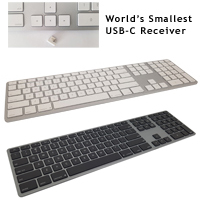
Wireless 2.4 GHz connectivity on the USB-C Wireless Keyboard for PC is provided through the world's smallest USB-C nano receiver with built-in AES-128 bit encryption, and the 500 mAh battery is able to provide up to a year of use between charges.
If a more rigid frame and less frequent charging are desired the USB-C Wireless Aluminum Keyboard for PC offers the same USB-C 2.4 GHz wireless functionality but with a high quality Aluminum face plate and a much larger 1600 mAh battery that can provide up to 3 years of use on a charge.
Le Wireless USB-C Keyboard for PC est pour les ordinateurs qui maintenant équipés de ports USB-C. Reflètant les mêmes conceptions et haute qualité que Matias utilise depuis de nombreuses années, ce clavier est une série FK416 économique avec un boîtier en plastique de couleur Noir et d'une batterie de 500 mAh.
Ce clavier est équipé d'interuputeurs à ciseaux Matias de haute qualité pour offrir une expérience de frappe satisfaisante malgré sa conception mince. Les commandes de base Media Player sont disponibles en tant que fonction alternative sur les touches F7 à F9. Comme le boîtier est en plastique plutôt qu'en aluminium, il est incroyablement léger, ne pesant que seulement 0.95 lb.
La connectivité sans fil 2.4 GHz du clavier USB-C Wireless Keyboard for PC est fourni par la plus petite clé nano USB-C au monde avec built-in AES-128 bit encryption, et la batterie de 500 mAh offre jusqu'à un an entre charges.
Si un cadre plus rigide et des recharges moins fréquentes est désiré, le USB-C Wireless Aluminum Keyboard for PC offre la même fonctionnalité sans fil USB-C 2.4 GHz, mais avec un boîtier en aluminium de haute qualité et une batterie beaucoup plus grande de 1600 mAh qui peut fournir jusqu'à 3 ans d'utilisation sur une charge.
The Kensington Pro Fit Ergo KB675 EQ TKL Rechargeable Keyboard is a tenkeyless layout that features the same winglike design as the full-size Pro Fit models. The alphanumeric keys are oriented at approximately 11° with the navigation and arrow ke ...
The Kensington Pro Fit Ergo KB675 EQ TKL Rechargeable Keyboard is a tenkeyless layout that features the same winglike design as the full-size Pro Fit models. The alphanumeric keys are oriented at approximately 11° with the navigation and arrow keys being at 0°. This sloping of the keys reduces pronation of the hands and forearm while typing. The left and right key groups are also splayed outwards at 33° to encourage a more neutral alignment and reduce ulnar deviation at the wrists. The integrated palm support on the Pro Fit Ergo KB675 is just over 3" in depth at the middle, and offers cushioning for the palms. It is covered in a leatherette material that is easily cleaned.
The angle and height of the Pro Fit Ergo KB675 tenkeyless keyboard is such that the wrists are supported in a fairly neutral alignment when the elbows are about 1" below the desk surface. For those who would rather sit at a more ergonomic height (i.e. elbows at or just above desk height) and benefit from a slight improvement in wrist alignment there are legs built into the underside of the palm support. When deployed these legs elevate the front to create a nominal 4° negative slope. When the keyboard is flat the highest point on the keys is 1.4" and with the negative elevation legs deployed the highest point is 1.9".
Note: While this keyboard does bear great similarity in appearance to the Sculpt Ergonomic Desktop Keyboard from Microsoft it should be noted that the concave layout of the Microsoft keyboard positioned the hands at a lower point than does the Ergo KB675 which has a convex curve to the key layout. As well, the addition of video conferencing keys at the top moves the hand about 0.75" lower on the keyboard which may cause the right hand to want to slip down and off the palm support.
The island-style keys are topped with flat keycaps that have very distinct edges. The key action is fairly quiet but it should be noted that they have a moderately high peak operation force of 55 grams, which over time can cause fatigue and strain on the fingers. As well, the inner columns of keys are wider to create a more appealing look but this can lead to inadvertently striking the keys off-centre. When struck to the edge there is a tendency for these keys to partially bind, thus requiring more force to complete the key activation. This could lead to dropped keystrokes and an overcompensation response of exerting a higher degree of force to ensure activation. With a limited travel distance of just 2.5 mm this will likely lead to the fingers impacting at the end of each keystroke.
This keyboard includes a bank of 4 dedicated video conferencing keys (End Call, Camera On/Off, Share/Stop Sharing, and Mute On/Off). There are also dedicated keys for Calculator, Search, Show Desktop, and Screen Shot, while the F Keys support Media Control alternate functions. In the middle of the keyboard are RGB Battery Status, Caps Lock, and BT Connection LED indicators. There are 20 programmable keys that can be accessed using the Kensington Konnect software - (PC and Mac options available) - that facilitates Key Mapping, Macro Programming, etc.
The Pro Fit Ergo KB675 EQ TKL Rechargeable Keyboard is Windows and Mac compatible and is able to connect via either Bluetooth 4.0LE or the included 2.4GHz wireless receiver (replaceable if lost) which employs 128-bit AES government-grade encryption for security. The connection is switchable via the dedicated "Connection" key.
Le Kensington Pro Fit Ergo KB675 EQ TKL Rechargeable Keyboard est un clavier avec disposition tenkeyless qui présente le même design en forme d'aile (winglike) que les modèles full-size Pro Fit. Les touches alphanumériques sont orientées à environ 11°, tandis que les touches de navigation et les touches fléchées sont à 0°. Cette inclinaison des touches réduit la pronation des mains et des avant-bras pendant la dactylo. Les groupes de touches gauche et droite sont également ébrasés vers l'extérieur à 33° pour favoriser un alignement plus neutre et réduire la déviation ulnaire au niveau des poignets. Le support de paume intégré sur le Pro Fit Ergo KB675 a une profondeur d'un peu plus de 3 pouces au milieu et offre un rembourrage pour les paumes. Il est recouvert d'un matériau en similicuir facile à nettoyer.
L'angle et la hauteur du Pro Fit Ergo KB675 tenkeyless keyboard sont tels que les poignets sont soutenus dans un alignement relativement neutre lorsque les coudes se trouvent à environ 1po sous la surface du bureau. Pour ceux qui préfèrent s'asseoir à une hauteur plus ergonomique (c'est-à-dire les coudes à la hauteur du bureau ou juste au-dessus) et bénéficier d'une légère amélioration de l'alignement des poignets, il y a des pieds qui sont intégrés sous le support de paume. Lorsqu'ils sont déployés, ils élèvent l'avant pour créer une pente négative nominale de 4°. Lorsque le clavier est à plat, le point le plus haut sur les touches est de 1.4po et lorsque les pieds d'élévation négative sont déployés, le point le plus haut est de 1.9po.
Veuillez noter: Bien que ce clavier ressemble beaucoup au Sculpt Ergonomic Desktop Keyboard de Microsoft, il doit être noter que la disposition concave du clavier Microsoft positionne les mains à un point plus bas que l'Ergo KB675, dont la disposition des touches présente une courbe convexe. Également, l'addition des touches video conferencing en haut du clavier déplace la main environ 0.75po plus bas sur le clavier, ce qui peut amener la main droite à vouloir glisser vers le bas et n'est plus sur le support de paume.
Les touches de style "island" ont des capuchons plats qui ont des bordures très distincts. Les touches sont assez silencieuses, mais il devrait être noter qu'elles ont une force de frappe significativement élevée de 55 grammes, ce qui, après un bout de temps, peut causer de la fatigue et des tensions sur les doigts. Également, les colonnes intérieures des touches sont plus larges pour créer un apparance plus intéressant, mais cela peut causer de frapper les touches sur le côté par accident au lieu du centre des touches. Lorsque les touches sont frappées sur le côté, elles ont tendance à se coller partiellement, ce qui nécessite une plus grande force pour compléter l'activation de la touche. Cela peut causer les caractères d'être perdus et une réponse excessive qui nécessite plus de force pour assurer l'activation de la touche. Avec une distance de déplacement limitée à 2.5mm, les doigts risquent d'avoir la vibration/choc de l'impact à la fin de chaque frappe.
Ce clavier comprend une banque de 4 touches spécifique au video conferencing (Fin d'appel, Caméra On/Off, Partage/Arrêt du Partage, et Coupure du son On/Off). Il existe également des touches spécifique aux Calculator, Search, Show Desktop, et Screen Shot, tandis que les touches F Keys support les fonctions alternatives des Media Control. Au milieu du clavier se trouvent le RGB Battery Status, Caps Lock, et BT Connection LED indicators. Vingt touches programmables sont accessibles à l'aide du logiciel Kensington Konnect (options PC et Mac disponibles), qui facilite le mappage des touches, la programmation de macros, etc.
Le clavier rechargeable Pro Fit Ergo KB675 EQ TKL est compatible avec Windows et Mac et peut se connecter soit par Bluetooth 4.0LE ou par sans fil 2.4GHz avec la clé inclus (remplaçable si perdu) qui utilise la technologie Advanced Encryption Standard (AES-128) pour la sécurité. La connexion est switchable par la touche spécifique "Connection".
Models
Model #
Description
Price
In Stock?
Buy Now
K75491US
Kensington Pro Fit Ergo KB675 EQ TKL Rechargeable Keyboard, (Bluetooth / 2.4 GHz RF Wireless Dongle [USB-A ]) NO 30 DAY CSG.
Inspired by the Apple design philosophy, the Matias USB-C Wired Aluminum Keyboard for Mac is for individuals who miss the Apple Wired Keyboard with Numeric Keypad. It incorporates all of the key design elements Mac owners are familiar with; a silver ...
Inspired by the Apple design philosophy, the Matias USB-C Wired Aluminum Keyboard for Mac is for individuals who miss the Apple Wired Keyboard with Numeric Keypad. It incorporates all of the key design elements Mac owners are familiar with; a silver aluminum case with white keycaps, a 2 port USB-C hub, all the special Mac functions that were on the (now discontinued) Apple Wired Keyboard with Numeric Keypad, and a hard wired connection via a USB-C cable.
This Matias product also includes some notable improvements, such as high quality Matias scissor switches to provide a satisfying typing experience despite the slim design. When intense numeric data entry is required, the dedicated numeric keypad provides full functionality. And with a nominal weight of just 1.2 lbs and a one-and-a-half meter (5 foot) USB-C cable, the USB-C Wired Aluminum Keyboard for Mac is also highly portable.
The Matias Wired Aluminum Keyboard is compatible with Mac OS X all the way back to v.10.6.8 or later.
If function is important but cost is a factor the USB-C Keyboard for Mac offers the same features and functionality but in a more economical plastic housing.
The USB-C Wireless Keyboard for Mac from Matias reflects the same familiar Apple design concepts that Matias has employed for many years. As a budget-friendly model this keyboard features a Silver or Space Gray plastic upper housing and a 500 mAh bat ...
The USB-C Wireless Keyboard for Mac from Matias reflects the same familiar Apple design concepts that Matias has employed for many years. As a budget-friendly model this keyboard features a Silver or Space Gray plastic upper housing and a 500 mAh battery.
Equipped with high quality Matias scissor switches, this keyboard is designed for durability and to provide a responsive typing experience. Mac-friendly function keys provide access to screen brightness and media controls. The slim, low-profile design has a complimentary light weight of just 0.95 lbs.
Wireless 2.4 GHz connectivity on the USB-C Wireless Keyboard for Mac is provided through the world's smallest USB-C nano receiver, and the 500 mAh battery is able to provide up to a year of use between charges.
If a more rigid frame and less frequent charging are desired the USB-C Wireless Aluminum Keyboard for Mac offers the same USB-C 2.4 ghZ wireless functionality but with a high quality Aluminum face plate and a much larger 1600 mAh battery that can provide up to 3 years of use on a charge.
Le USB-C Wireless Keyboard for Mac de Matias reflète les mêmes conceptions de design Apple familiers que Matias utilise depuis de nombreuses années. Modèle économique, ce clavier est doté d'un boîtier en plastique de couleur Silver ou Space Gray et d'une batterie de 500 mAh.
Avec les interuputeurs à ciseaux Matias de haute qualité, ce clavier est conçu pour durer et offrir une expérience de frappe responsive. Les touches de fonction adaptées au Mac permettent d'ajuster la luminosité de l'écran et aux commandes médias. Son concept mince à profile bas lui donne un poids léger de seulement 0.95 lb.
La connectivité sans fil 2.4 GHz du clavier USB-C Wireless Keyboard for Mac est fourni par la plus petite clé nano USB-C au monde, et la batterie de 500 mAh offre jusqu'à un an entre deux charges.
Si un cadre plus rigide et des recharges moins fréquentes est désiré, le USB-C Wireless Aluminum Keyboard for Mac offre la même fonctionnalité sans fil USB-C 2.4 GHz, mais avec un boîtier en aluminium de haute qualité et une batterie beaucoup plus grande de 1600 mAh qui peut fournir jusqu'à 3 ans d'utilisation sur une charge.
The Sculpted Ergonomic Wired Keyboard for Mac from Matias reflects many of the features appreciated in the discontinued Microsoft Sculpt Ergonomic Keyboard. Available with English legends, it combines the same familiar layout, very similar styling an ...
The Sculpted Ergonomic Wired Keyboard for Mac from Matias reflects many of the features appreciated in the discontinued Microsoft Sculpt Ergonomic Keyboard. Available with English legends, it combines the same familiar layout, very similar styling and ergonomic design, with laptop-style Matias scissor-switch membrane chiclet keyswitches. Enhanced functionality is also provided, with the addition of an embedded numeric keypad making this keyboard a true compact layout. Performance-oriented individuals will appreciate the full on-board and driver-free programming capabilities that the Sculpted Ergonomic Wired Keyboard for Mac offers. Serious typists will also appreciate the inclusion of an illuminated Caps Lock indicator. The padded palm support uses genuine tree rubber for an enhanced thicker and denser cushion and the included optional Negative Tilt Bar attaches magnetically to elevate the front of the keyboard, creating an ergonomic negative slope that can aid in reducing wrist extension. However, because this elevates the keyboard, typists need to ensure that they are able to adjust the keyboard position to an appropriate height or they may actually be moving to a "less" ergonomic position when attaching this accessory.
Those working in a PC environment will want to purchase the Sculpted Ergonomic Wired Keyboard for PC.
The Sculpted Ergonomic Wired Keyboard for Mac from Matias is equipped for use on USB-C ports but can also be used on USB-A with a USB-C to USB-A adapter (not included). There are also Rechargeable models for both Mac and PC.
Le Sculpted Ergonomic Wired Keyboard for Mac de Matias reprend de nombreuses caractéristiques du Microsoft Sculpt Ergonomic Keyboard (discontinué). Disponible avec légends anglais, il combine la même disposition familière, style et ergonomie très similaires, avec des interuputeurs à ciseaux Matias de style comme ordinateur portable, chiclet. Les fonctionnalités sont également améliorées grâce à l'ajout d'un pavé numérique intégré, ce qui fait de ce clavier un véritable modèle compact. Les gens plus orientés vers la performance et qui veulent personnaliser leur clavier apprécieront les capacités complètes de programmation on-board et sans pilote que le Sculpted Ergonomic Wired Keyboard for Mac offre. Les gens qui font beaucoup de dactylo apprécieront également l'indicateur lumineux du Caps Lock. Le support de paume rembourré, qui peut être enlever (fixé magnétiquement), utilise du caoutchouc d'arbre véritable pour un coussin plus épais et plus dense. La barre d'inclinaison négative optionnelle qui est inclus (également fixée magnétiquement) peut être utilisée pour élever l'avant du clavier afin de créer une inclinaison négative ergonomique qui peut aider à réduire l'extension du poignet. Cependant, comme cet accessoire élève le clavier, les gens doivent s'assurer qu'ils sont en mesure de régler la position du clavier à une hauteur appropriée, sinon ils risquent d'adopter une position "moins" ergonomique lorsqu'ils fixent cet accessoire.
Le Sculpted Ergonomic Wired Keyboard for Mac de Matias est équipé pour une utilisation sur les ports USB-C mais peut également être utiliser sur USB-A avec un adaptateur USB-C à USB-A (pas inclus). Il existe également des modèles Rechargeables pour Mac et PC.
Models
Model #
Description
Price
In Stock?
Buy Now
FK313
Matias Sculpted Ergonomic Wired Keyboard for Mac, US English layout, Silver with White Keys, USB (USB-C Cable)
The iMoov Teclado Keyboard is a perfect accessory to the Astuto. This ultra-slim (0.26") rechargeable keyboard can be paired with up to three devices, ideal for users who work with multiple devices. It magnetically locks into slots on the Astuto Stan ...
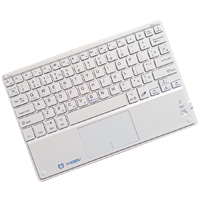
The iMoov Teclado Keyboard is a perfect accessory to the Astuto. This ultra-slim (0.26") rechargeable keyboard can be paired with up to three devices, ideal for users who work with multiple devices. It magnetically locks into slots on the Astuto Stand for use with a tablet or phone or can just as easily be used on a desk surface when using the Astuto Stand to elevate the screen of a laptop or notebook.
The Teclado keyboard also uses High Speed Wireless Bluetooth 3.0 technology, enabling the user to work with other devices up to 10 meters away (33 ft). It also contains a built-in touchpad with its own ON/OFF switch, making this keyboard an ultra-portable, all-in-one, power-saving input device.
The RGB Backlit Wired Aluminum Keyboards from Matias offers Apple-inspired design and features, with the addition of RGB backlighting. Mac models also include a USB-A to USB-C adapter for multigenerational connectivity. With a continuous spectrum of ...
The RGB Backlit Wired Aluminum Keyboards from Matias offers Apple-inspired design and features, with the addition of RGB backlighting. Mac models also include a USB-A to USB-C adapter for multigenerational connectivity. With a continuous spectrum of colors to choose from, a simple turn of the color dial can provide the optimal backlighting for any situation. Backlighting intensity is also adjustable in 10% increments from 0% to 100% by using the -/+ backlight key (FN key on PC models).
This keyboard has all the key design elements Mac enthusiasts are familiar with; an aluminum case with chiclet-style keycaps, a single USB 2.0 port, the special Mac functions (on the Mac versions), and a hard wired connection via a USB cable. High quality Matias scissor switches provide a satisfying typing experience despite the slim design. This keyboard only weighs 1.2 lbs and comes with a 5' USB cable.
The Mac-compatible models of the Matias RGB Backlit Wired Aluminum Keyboard are compatible with Mac OS X all the way back to Version 10.6.8 (Snow Leopard) and are available in Silver or Space Gray. The PC model (FK318PCLBB) is Windows compatible and is available in Black only.
Les RGB Backlit Wired Aluminum Keyboard de Matias offrent une conception et des fonctionnalités inspirés d'Apple, avec l'ajout d'un fil et de rétroéclairage RGB. Les modèles Mac incluent également un adaptateur USB-A to USB-C pour une connectivité multigénérationnelle. Avec un spectre continu de couleurs à choisir, une simple rotation de la roulette (situé sur le côté supérieur) peut fournir le rétroéclairage optimal pour n'importe quelle situation. L'intensité du rétroéclairage est également ajustable par incréments de 10 %, de 0 % à 100 %, à l'aide de la touche de rétroéclairage -/+ (touche FN sur les modèles PC).
Ce clavier possède tous les éléments de conception fondamental que les admirateurs de Mac connaissent bien; un boîtier en aluminium avec des touches de style chiclet, un seul port USB 2.0, les fonctions spéciales Mac (sur les versions Mac) et une connexion avec fil via un câble USB. Les interuputeurs à ciseaux Matias de haute qualité offrent une expérience de dactylo satisfaisante malgré le concept mince. Ce clavier ne pèse que 1.2 lb et est livré avec un câble USB de 5 pieds.
Les modèles Mac-compatible du Matias RGB Backlit Wired Aluminum Keyboard sont compatibles avec Mac OS X jusqu'à la version 10.6.8 (Snow Leopard) et sont disponibles en Silver ou Space Gray. Le modèle PC (FK318PCLBB) est compatible avec Windows et est seulement disponible en Noir.
Models
Model #
Description
Price
In Stock?
Buy Now
FK318LS
Matias RGB Backlit Wired Aluminum Keyboard for Mac, Silver Aluminum Housing with White Keycaps, ([USB-C / USB-A])
$129.00
Yes
FK318LB
Matias RGB Backlit Wired Aluminum Keyboard for Mac, Space Gray Aluminum Housing with Black Keycaps, ([USB-C / USB-A])
$129.00
Yes
FK318PCLBB
Matias RGB Backlit Wired Aluminum Keyboard for PC, Black Aluminum Housing with Black Keycaps, ([USB-A])
The R-Go Numpad Break from R-Go Tools is an ideal matching companion for the R-Go Compact Break and Split Break Ergonomic Keyboards. With both wired and Bluetooth models available you can choose wireless freedom or use the cords included with the wir ...
The R-Go Numpad Break from R-Go Tools is an ideal matching companion for the R-Go Compact Break and Split Break Ergonomic Keyboards. With both wired and Bluetooth models available you can choose wireless freedom or use the cords included with the wired model to plug directly into the keyboard's supplementary USB-C port (Micro-USB on earlier models) using the convenient 12" cords. Of course, it can also be used as a stand-alone numeric keypad with any keyboard, by using the included USB-C to USB-A adapter and either the 12" or 59" cords.
The R-Go Numpad Break is equipped with low-travel scissor switch membrane key switches, resulting in an exceptionally thin (9 mm) profile that greatly reduces the potential of developing RSI related to wrist extension. The chiclet-style keycaps offer clear separation between keys to help ensure accurate data entry. The low profile and the light weight of just 96 grams also make this keypad an ideal laptop add-on. As a bonus feature the integrated calculator key can switch from data entry to the Windows calculator with a single keystroke.
Models
Model #
Description
Price
In Stock?
Buy Now
RGOCONMWDBL
R-Go Numpad Break, Wired, (USB-C / USB-A)
$60.00
Yes
RGOCONMWLBL
R-Go Numpad Break, charges on both USB-C / USB-A, (Bluetooth)
The Multi-Device Midsize Bluetooth Keyboard from Targus features a multi-channel Bluetooth connection that can support up to 3 different devices. It is compatible with Windows and Mac OS and will also function in iOS and Android. It also has lengends ...
The Multi-Device Midsize Bluetooth Keyboard from Targus features a multi-channel Bluetooth connection that can support up to 3 different devices. It is compatible with Windows and Mac OS and will also function in iOS and Android. It also has lengends for both Windows and Mac use. It features standard keys (both key pitch and key cap size) throughout all primary keys. The only exception to this are the function keys which are shallower (just over half the standard height) and the arrow keys (Up & Down keys are half-height and sandwiched between the Left and Right keys below the right-hand Shift key). The discrete numeric keypad on the right-hand side is ideal for those who require it for numeric data entry.
At just 14.7" (33.7 cm) in width, this keyboard is roughly 2.5" narrower on the right side than the average conventional keyboard. This significantly reduces the overreaching that can occur when accessing a mouse on the right, while yet retaining all standard keyboard keys/functionality. The sleek housing offers a slim 0.25" profile at the front with a slight incline to 0.73" at the rear, which results in a small degree of wrist extension.
The key switches are responsive scissor-switch membrane key switches with lower to average travel distance for this type of switch. The keycap tops are just slightly concave to assist typists in maintaining finger contact. For peace of mind the keyboard is infused with the Targus DefenseGuard™ Antimicrobial Protection.
Models
Model #
Description
Price
In Stock?
Buy Now
AKB863US
Multi-Device Midsize Bluetooth Keyboard, (Bluetooth)
Reminiscent of Apple design concepts, the Wireless Aluminum Keyboard from Matias shifts the focus to enhanced product performance with a full-function numeric keypad, making this wireless keyboard suitable for all types of computing. The Bluetooth fu ...
Reminiscent of Apple design concepts, the Wireless Aluminum Keyboard from Matias shifts the focus to enhanced product performance with a full-function numeric keypad, making this wireless keyboard suitable for all types of computing. The Bluetooth function can pair with and retain always-live connections to as many as 4 different Bluetooth devices, automatically adjusting its layout to be compatible with the active device (i.e. Android, Windows, iPad, etc.). Mac-friendly function keys provide access to screen brightness and media controls. The high power, long-lasting 1600 mAh battery is able to provide up to a year of use between charges, without needing to power down and disconnect during idle periods. This makes this wireless keyboard perform more like a wired keyboard in that it is always connected and ready without a "wake up" period.
The Wireless Aluminum Keyboard is equipped with high quality Matias scissor switches to provide a satisfying typing experience despite the slim design, weighs just 1.18 lbs, and comes in four complimentary colors — Silver, Space Gray, Gold and Rose Gold.
If more frequent charging and a plastic housing are not an issue the budget-friendly Wireless Multi-Pairing Keyboard offers the same Bluetooth functionality with a shorter 3-month charge cycle.
Inspiré par la philosophie de conception de Apple, le clavier Wireless Aluminum Keyboard de Matias met l'accent sur l'amélioration des performances du produit avec un pavé numérique, ce qui rend ce clavier sans fil adapté à tous les types de travail. La fonction Bluetooth peut s'associer et maintenir des connexions permanentes avec jusqu'à 4 appareils Bluetooth différents, en ajustant automatiquement sa disposition pour être compatible quel que soit le système (c`est-à-dire Android, Windows, iPad, etc.). Des touches de fonction adaptées au Mac permettent d'accéder à la luminosité de l'écran et aux commandes multimédia. La batterie haute puissance a une très longue vie de 1600 mAh et est capable de fournir jusqu'à un an d'utilisation entre deux charges, sans avoir besoin de s'éteindre et de se déconnecter pendant les périodes d'inactivité. Cela fait ce clavier sans fil agir plus comme un clavier avec fil de sorte qu'il est connecté en tout temps et prêt à fonctionner sans avoir une période de “se réveiller”.
Le Wireless Aluminum Keyboard est équipé d'interuputeurs à ciseaux Matias de haute qualité pour offrir une expérience de dactylographie agréable malgré le concept mince. Avec un poids de seulement 1.18 livres, il est disponible en quatre différentes couleurs — Argenté (Silver), Gris (Space Gray), Or (Gold), et Or Rose (Rose Gold).
Si les recharges plus fréquentes et le boîtier en plastique ne sont pas un problème, le clavier Wireless Multi-Pairing Keyboard, plus économique, offre la même fonctionnalité Bluetooth avec un cycle de charge plus court de 3 mois.